


Use APKPure App
Get ISO 2 USB old version APK for Android

ISO 2 USB is a utility app that burns ISO/IMG/DMG images to bootable USB drives on Android.
ISO 2 USB helps users who need to prepare a bootable installer or live drive without a computer. You connect a USB storage through OTG and write full operating system images for Windows, Linux, macOS Intel DMG, or Raspberry Pi. It is useful when your PC will not start or when you want to work on the go. The app guides you through image selection and the correct write method with clear prompts, and users searching for ISO 2 USB APK will find a focused mobile burner.
You can write images directly from your phone using an OTG adapter. ISO 2 USB works with USB flash drives, SD card readers, and many external SSD or HDD enclosures. No PC is required, and no root is needed for OTG connected drives. Root access is only required if you plan to write to the internal SD slot.
Image support across Windows, Linux, macOS, and Raspberry PiISO 2 USB supports Windows 7 to 11 installers and DOS tools such as FreeDOS or MS DOS. It also handles modern Linux distributions, Intel macOS DMG installers, and Raspberry Pi OS images. This covers common repair, install, and live usage scenarios and fits ISO to USB Android tasks when a computer is not available.
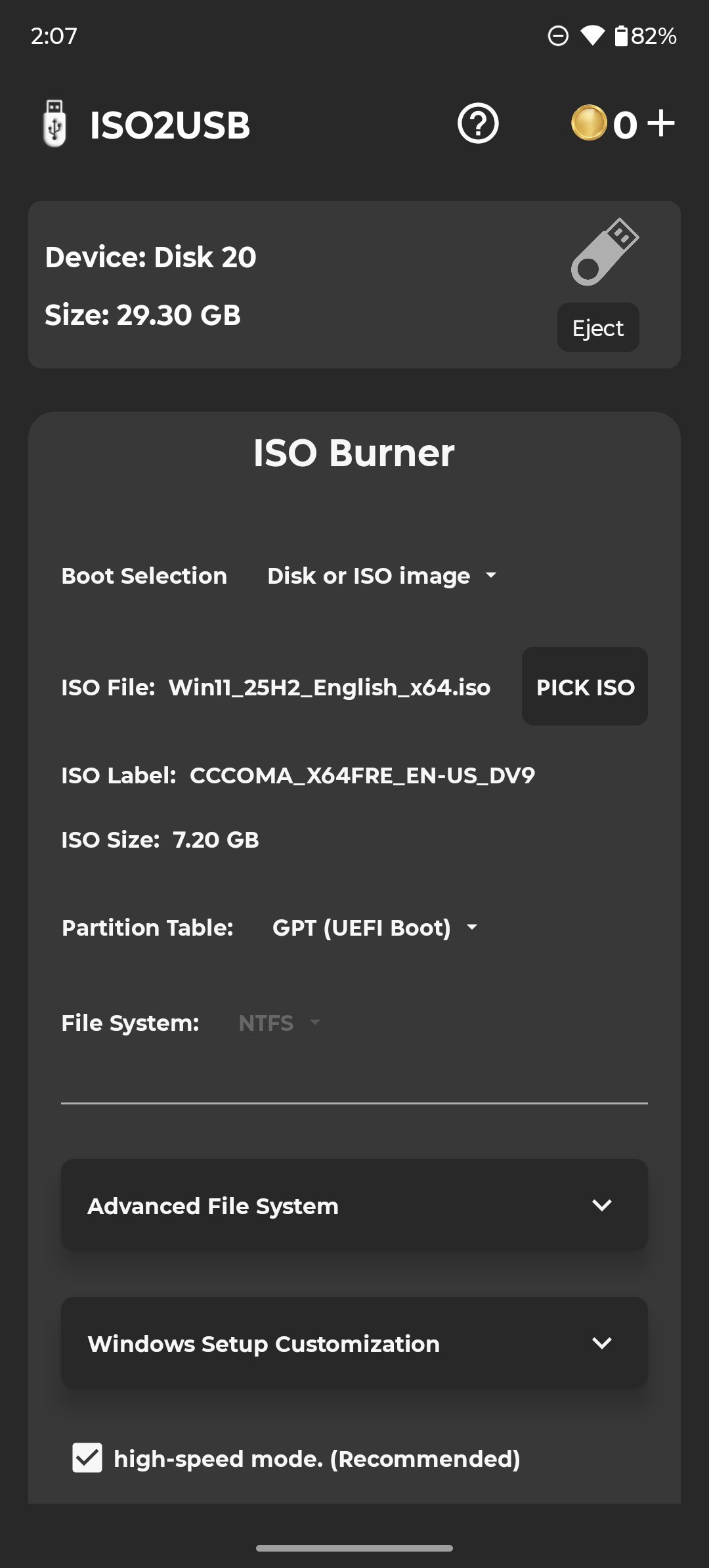
Windows installers with manual controlYou can fine tune settings for Windows ISOs to match the target machine. Choose GPT for UEFI firmware or MBR for a Legacy BIOS setup, then pick NTFS or FAT32 to suit the file sizes and boot needs. ISO 2 USB can bypass Windows 11 minimum requirements when needed, and it can automatically split a large install.wim when FAT32 is selected.
Raw write mode that preserves boot layoutISO 2 USB writes Linux, macOS Intel DMG, and Raspberry Pi images as raw blocks. This preserves the original partitions and boot structure from the source image. As a result, the live system or installer behaves as intended, similar to what you expect from desktop burners.
Access options for free and Pro useCore burns for Linux, macOS Intel DMG, and Raspberry Pi are free. Windows, DOS, and not bootable formats use a coin system to start a write. An optional Pro upgrade removes ads, disables coins, and enables offline use for sessions without an internet connection.
For Windows ISOs, choose a partition scheme and file system that match the target computer. GPT is used for UEFI firmware, and MBR is used for Legacy BIOS. NTFS supports large files, while FAT32 is widely compatible. ISO 2 USB can bypass Windows 11 requirements and auto split install.wim when FAT32 is selected. For Linux, macOS Intel DMG, and Raspberry Pi images, select raw write to keep the original layout and boot metadata intact.
Set up a bootable installer or live USB in minutes on a phone. The process is straightforward once the USB drive is connected through OTG, and ISO 2 USB latest version guides each choice on screen.
ISO 2 USB focuses on creating reliable bootable USBs directly from a phone using OTG. If you plan to install an operating system or prepare a live USB without a computer, download ISO 2 USB and follow the guided steps for Windows, Linux, macOS Intel DMG, or Raspberry Pi images.
Last updated on May 5, 2026
9.21.0
Latest Version
 9.21.0
Uploaded by
Mixapplications
Requires Android
Android 7.0+
Category
Report






Discover what you want easier, faster and safer.
