


Use APKPure App
Get TuxlerVPN old version APK for Android
TuxlerVPN is a VPN app that uses residential IPs to protect your privacy and help you access the open web.
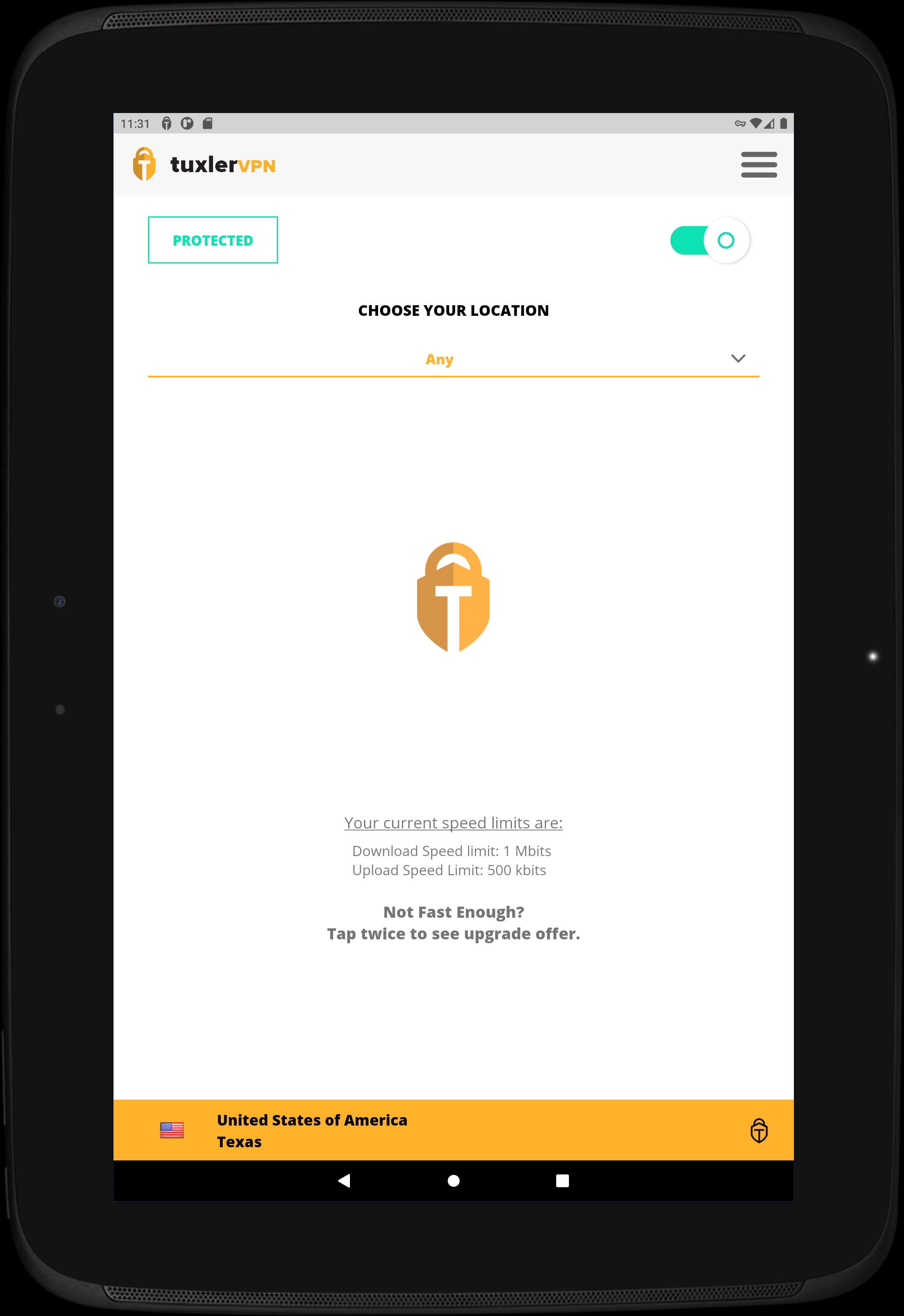
TuxlerVPN routes your traffic through real household connections so websites see you as a regular user. This community powered approach helps you browse more privately and reach content that might be restricted in your region. The service focuses on simple protection and easy access, and it works across mobile and desktop. There is a free plan with unlimited bandwidth and an optional premium upgrade for more speed and locations. Get the TuxlerVPN APK latest version on APKPure to start with a quick, one click connection.
Residential IP network for stronger anonymity
TuxlerVPN provides millions of residential IP locations that are harder to flag than typical datacenter IPs. Therefore websites and streaming portals are more likely to treat your connection like everyday traffic. Moreover, over seventy thousand fresh IPs are added each month to keep the pool current.
Unlimited bandwidth with no ads
The free tier of TuxlerVPN does not limit your data and does not display ads, so you can focus on browsing and streaming. This helps when you need a long session on public Wi Fi or while traveling. In addition, you can keep it running in the background without worrying about caps.
Privacy and encryption on public networks
TuxlerVPN hides your IP address and encrypts your connection to reduce tracking and exposure. This is useful in cafes, airports, and hotels where open networks are common. And it adds a simple layer of protection for logins and everyday browsing.
One click connect and no account required on Android
The Android app keeps setup short so you can connect with a single tap. You can choose a location or let TuxlerVPN pick one automatically for speed. Also, you can start using the app on Android without creating an account.
Borderless access with flexible locations
TuxlerVPN helps you overcome geo restrictions by letting you switch to available regions. That gives you more consistent access to news, shopping, and entertainment while abroad. As a result, you can check prices, research local services, or keep up with your favorite sites.
Free and Premium options
The free plan includes unlimited bandwidth and essential location changes. Premium is designed for heavy use, with speeds up to four times faster, full access to locations, and one hundred location changes per month for 7.99 dollars. This way you can start free and upgrade only if you need more performance.
TuxlerVPN works on Windows, iOS, and Android. It also offers browser extensions for Chrome and Firefox for quick, tab level protection. Therefore you can keep a consistent approach to privacy across devices with minimal setup.
Many users rely on the service for travel, research, and cross border tasks. With over three hundred thousand users and a growing IP pool, TuxlerVPN continues to expand access options while keeping the experience straightforward.
Residential IPs usually blend in with normal traffic. That can reduce blocks that datacenter VPNs encounter and help pages load without extra verification steps. In turn, you spend less time solving captchas and more time on the task at hand.
TuxlerVPN follows a community powered model that draws from real household connections. And since new addresses are added every month, you get more variety to rotate through when a specific site becomes strict about access.
When you are on public Wi Fi, TuxlerVPN secures the connection so your activity is harder to inspect. This keeps logins and personal information better protected.
When you travel or work with foreign markets, switching to another location helps you view local pricing, research regional content, or reach services that are limited to certain countries. In addition, rotating residential IPs can make these sessions feel more consistent.
Follow these steps to get started quickly. You only need the app and a few seconds to connect. You can stay on the free plan or upgrade later if you need more speed and locations.
TuxlerVPN focuses on practical privacy, residential IP access, and a simple one click experience. Get the TuxlerVPN APK on APKPure to secure connections, change locations, and browse with unlimited bandwidth. You can use the free plan right away or move to Premium for more speed and broader access.
Is TuxlerVPN safe to use?
TuxlerVPN encrypts your internet traffic and hides your IP address to reduce tracking and exposure. This helps protect data on public networks and adds a basic privacy layer for everyday browsing.
What does TuxlerVPN Premium include?
TuxlerVPN Premium offers speeds up to four times faster than the free plan, full access to all available locations, and one hundred location changes per month for 7.99 dollars. Both free and premium include unlimited bandwidth.
Do I need an account to use TuxlerVPN on Android?
You can use TuxlerVPN on Android without creating an account. Simply download TuxlerVPN, install the TuxlerVPN APK, and tap connect to start using the service.
How do I download TuxlerVPN on APKPure?
You can download TuxlerVPN directly from APKPure by tapping the download button on this page. Then install the TuxlerVPN APK latest version and follow the in app prompts to connect.
Can I use TuxlerVPN on PC or Windows 7?
TuxlerVPN provides a Windows app, and many users run it on Windows 7 and later. For desktop, visit the official Tuxler site from your PC to get the installer, or use the browser extensions for Chrome or Firefox as an alternative.
How can I uninstall TuxlerVPN from Android?
To uninstall TuxlerVPN, press and hold the app icon on your home screen, choose App info, and select Uninstall. You can reinstall later by downloading the TuxlerVPN APK from APKPure.
Last updated on Mar 2, 2023
Minor bug fixes and improvements. Install or update to the newest version to check it out!
Latest Version
 2.0.30
Uploaded by
Kõřeķ Ôyë
Requires Android
Android 5.1+
Category
Report



Discover what you want easier, faster and safer.

TuxlerVPN
2.0.30 by Tuxler Privacy Technologies, Inc.
Mar 2, 2023