


Use APKPure App
Get Local ADB (Android 11+) old version APK for Android

Local ADB (Android 11+) is a developer tool app that runs Android Debug Bridge commands directly on your phone.
Local ADB (Android 11+) helps users who need fast ADB tasks away from a computer. It creates a local client that talks to the service on the same device using Wireless debugging, so setup stays short and travel friendly. Because it targets Android 11 through Android 15, it fits many current phones and tablets. For users who prefer on device work and a familiar shell feel, Local ADB (Android 11+) APK offers a straightforward path with minimal steps. Download Local ADB (Android 11+) APK latest version on APKPure for a clean start.
On device ADB over localhost
Local ADB (Android 11+) connects the client and service on 127.0.0.1, so commands run on the same device. This self contained setup keeps traffic local and reduces outside dependencies. It suits quick changes when you only have your phone in hand.
Wireless debugging without cables or root
You can pair through Wireless debugging and start a session without a computer, cable, or root. The pairing flow uses the system’s developer options, which makes setup familiar and predictable. As a result, you can get to a shell faster when time is limited.
Familiar ADB shell commands
Local ADB (Android 11+) mirrors common ADB actions, including installing APKs, capturing screenshots or screen recordings, and reading logs. The shell behaves like the commands you already know, which lowers the learning curve. This helps you complete small tasks on the go with fewer steps.
File push, pull, and basic management
You can push files to your device, pull files from it, and list or manage folders directly from the shell. This supports light file work without switching tools. It is useful for quick checks or moving assets during testing.
Fast startup with a lightweight client
The app focuses on quick launch and a short path to an active session. Fewer prompts and a simple flow help you begin work quickly. This design is practical when you need to open a shell, run a command, and move on.
There is a known conflict with Shizuku that can block the local shell from connecting. If you use Shizuku, uninstall it and reboot the device before starting a session in Local ADB (Android 11+). This step avoids service conflicts and improves connection success.
After you download Local ADB (Android 11+), pairing takes only a few short steps on your phone. These steps rely on Wireless debugging inside Developer options. Keep Settings and the app visible to avoid timeouts during pairing.
First, open Settings, go to Developer options, and turn on Wireless debugging.
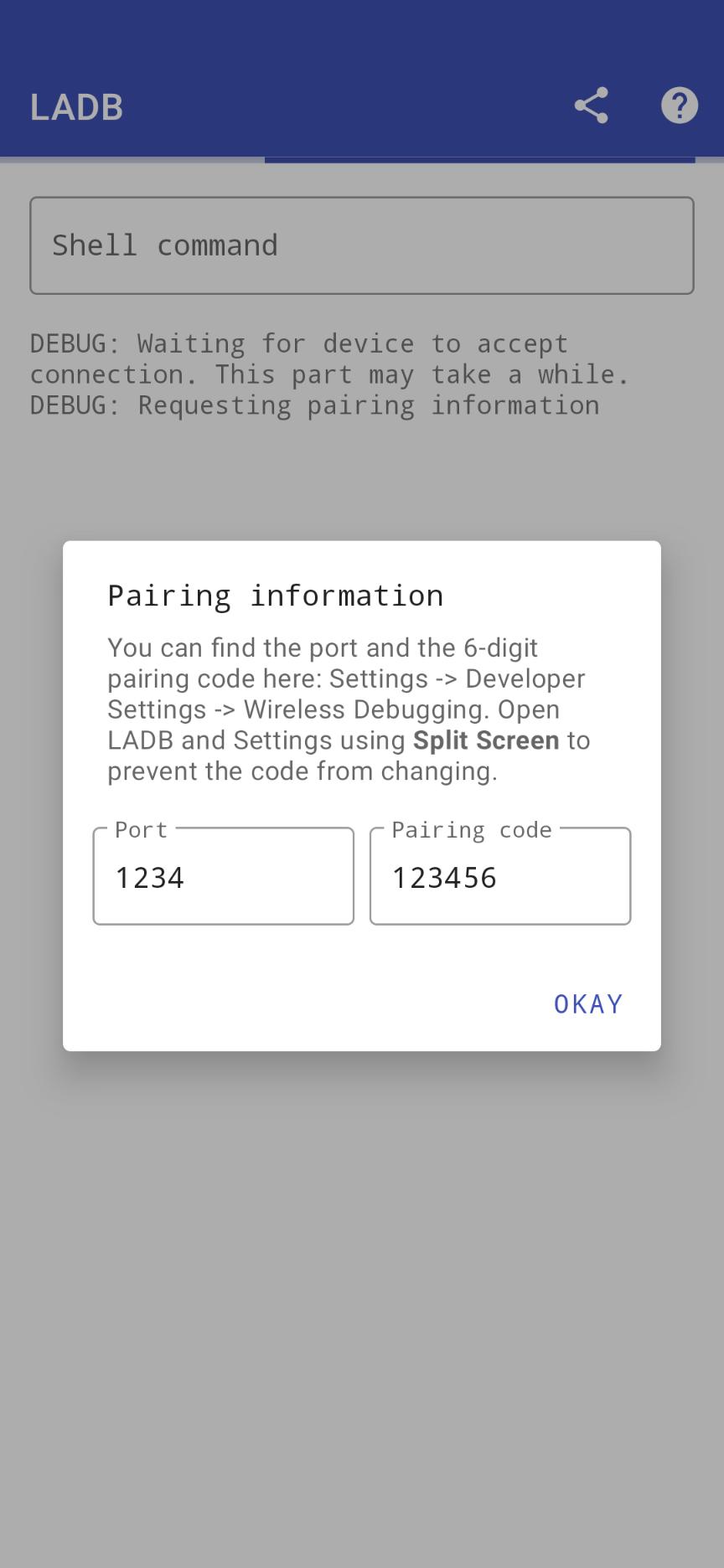
Next, tap “Pair device with pairing code” to show the pairing code and the pairing port.
Then use split screen to keep Settings and Local ADB (Android 11+) open together. In the app, choose Pair and enter the code and port without closing the dialog in Settings.
After that, wait for the local shell to connect and display a prompt. You can now run the commands you need for installs, logs, or file actions.
Finally, when you finish, turn off Wireless debugging or remove the connection in Settings to keep your device tidy.
If the shell fails to connect, clear Local ADB (Android 11+) app data, remove all Wireless debugging connections in Developer options, and reboot the device. After the reboot, repeat pairing with split screen so you can enter the code and port without leaving the Settings dialog. These steps resolve most pairing timeouts and stale connection entries.
Local ADB (Android 11+) keeps ADB work on the device with a simple pairing flow and a familiar shell. It fits quick installs, log checks, and small file tasks when a computer is not available. Get the Local ADB (Android 11+) APK latest version on APKPure to get started right away.
Last updated on Mar 4, 2021
compile from https://play.google.com/store/apps/details?id=com.draco.ladb
with no modify.
Latest Version
 1.2.4
1.2.4
Uploaded by
Adel Samir
Requires Android
Android 8.0+
Category
Report


Discover what you want easier, faster and safer.
