



Use APKPure App
Get Yi iot old version APK for Android
Yi iot is a smart camera app that streams HD video and audio for home monitoring.
Yi iot helps you check on your home, pets, or family from your phone when you are away. It focuses on clear live viewing, simple controls, and quick notifications so you can respond without delay. The interface stays clean and easy to scan, which makes jumping between cameras fast. With remote access and camera sharing, it suits both single rooms and multi room setups. If you plan to download Yi iot, expect straightforward setup and practical tools designed around day to day use.
Real time HD viewing
Yi iot provides live video with all glass lenses, an f/2.0 aperture, and 1280 x 720 resolution. The camera covers 111 degrees for wide scenes and supports 4 times digital zoom when you need a closer look. Video loads quickly and stays clear, which helps with routine checks like doorways, nurseries, or living rooms.
Two way audio for quick conversations
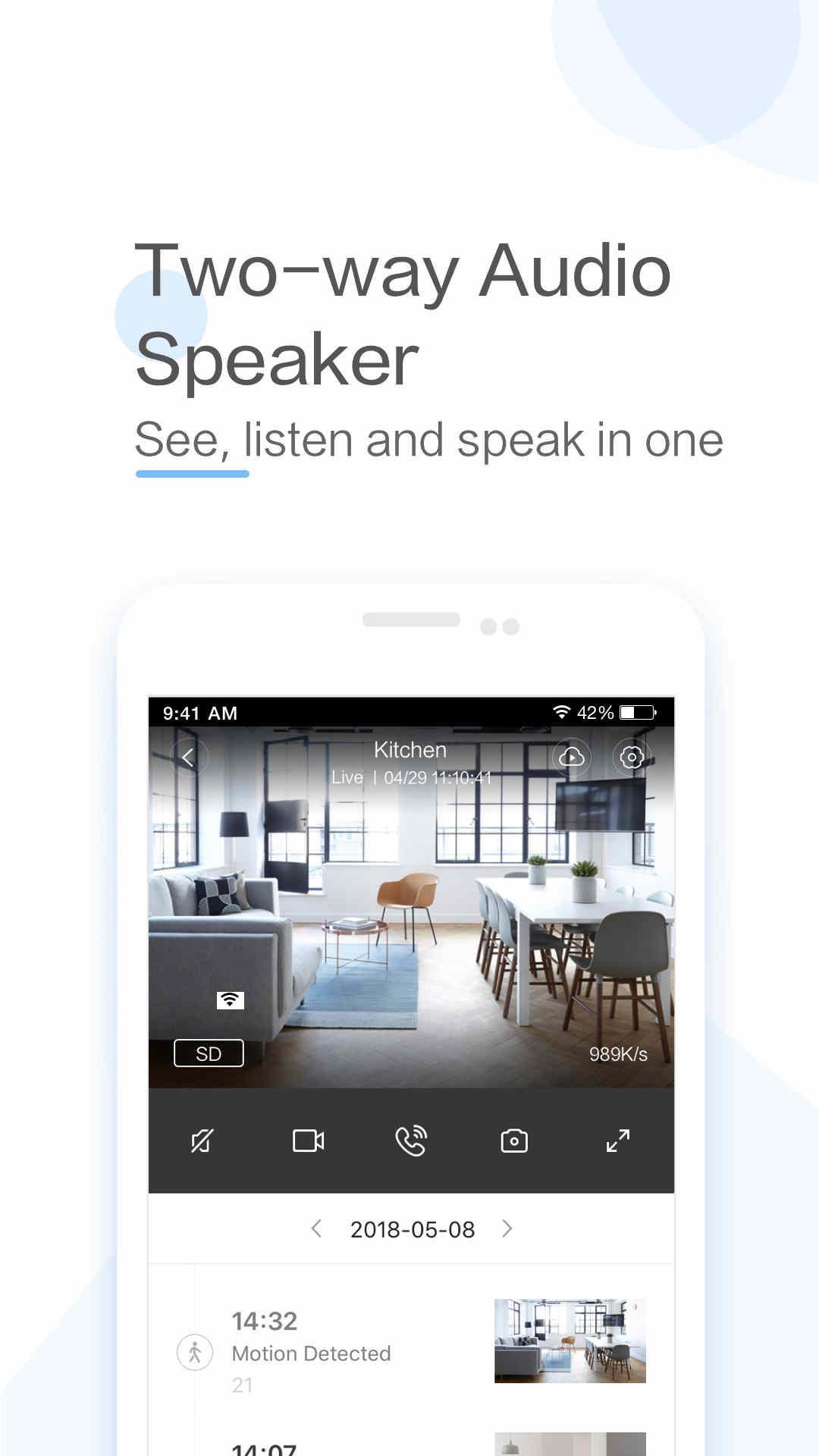
You can speak and listen through the camera with the built in microphone and speaker. Voice comes through loud and clear, which makes it practical for talking to family members, answering a call at the door, or calming a pet. Control starts with a tap, and audio switches smoothly between talk and listen.
Instant motion alerts with useful details
Yi iot detects motion and sends push notifications so you know when something changes. Alerts can include when, where, and what information, which helps you decide whether to open the live view or review a clip. This keeps you informed without needing to watch continuously.
Panoramic viewing and easy browsing
With phone gyroscope support, the live view follows your device orientation to scan across the room naturally. This makes it fast to sweep corners or move from ceiling to floor. The updated card mode helps you browse multiple cameras in a grid and jump to the one that needs attention.
Flexible recording and storage options
Yi iot supports local micro SD cards up to 32 GB for continuous or motion triggered clips. Motion triggered recording helps save card space by capturing only relevant activity. You can also use encrypted YI Cloud options for offsite storage if you prefer access beyond the device.
Adaptive streaming and remote access
The app adjusts video quality based on your network to keep playback smooth. This helps when your connection varies between home Wi Fi and mobile data. Setup and camera sharing are kept simple so family members can view or talk through the same camera when needed.
Compatibility is specific. Yi iot only supports the International Version Yi iot cameras. The China version YUNYI Smart Camera uses a different Xiaomi companion app and is not compatible with Yi iot. Checking your camera label and model version before pairing helps avoid setup issues.
Storage planning helps you choose how clips are saved. A micro SD card up to 32 GB stores video locally, and motion based clips reduce capacity use. Encrypted YI Cloud provides offsite storage if a local card is not available or if you want access when the camera is offline.
Network quality affects video speed and delay. Faster and stable Wi Fi reduces latency during live view and playback. The adaptive stream will lower quality when needed to keep video moving, but a stronger signal improves clarity and responsiveness.
Getting started takes a few minutes. Install the Yi iot APK on your phone, then sign in or create an account. Keep the camera, a power source, and your Wi Fi password nearby.
Yi iot focuses on clear viewing, straightforward alerts, and quick two way audio in a clean interface. For the most reliable experience, keep the app updated to the Yi iot latest version.
For official resources and service information, visit:
Last updated on Apr 27, 2026
New feature: Turn phone into a security camera.
Support:
· HD 1080P live streaming & remote real-time viewing
· Smart AI alerts: human detection, motion detection and fall detection
· Multi-device management with one single account
· Two-way audio
Latest Version
 5.0.8_20260425
Uploaded by
ႏြယ္သဇင္လႈိင္
Requires Android
Android 7.0+
Available on

Category
Report




Discover what you want easier, faster and safer.
