


Use APKPure App
Get Xiaomi Themes old version APK for Android

Xiaomi Themes is a personalization app that lets MIUI users customize interface visuals across themes, wallpapers, ringtones, and fonts.
Xiaomi Themes helps users who want a consistent way to refresh the phone’s look without juggling multiple apps. It centralizes visual resources made for MIUI so you can adjust the interface in one place. Because it is an official Xiaomi app, content is tuned for stability across supported devices. Availability can vary by region and build, and the Xiaomi Themes APK may be preloaded on many phones or offered through official distribution channels.
Xiaomi Themes applies design changes across the system, including the home screen, icons, lock screen, and core UI elements. You can refresh the overall appearance with MIUI themes that follow the platform’s design rules. Previews show how a theme will look before you apply it, which helps avoid unexpected results.
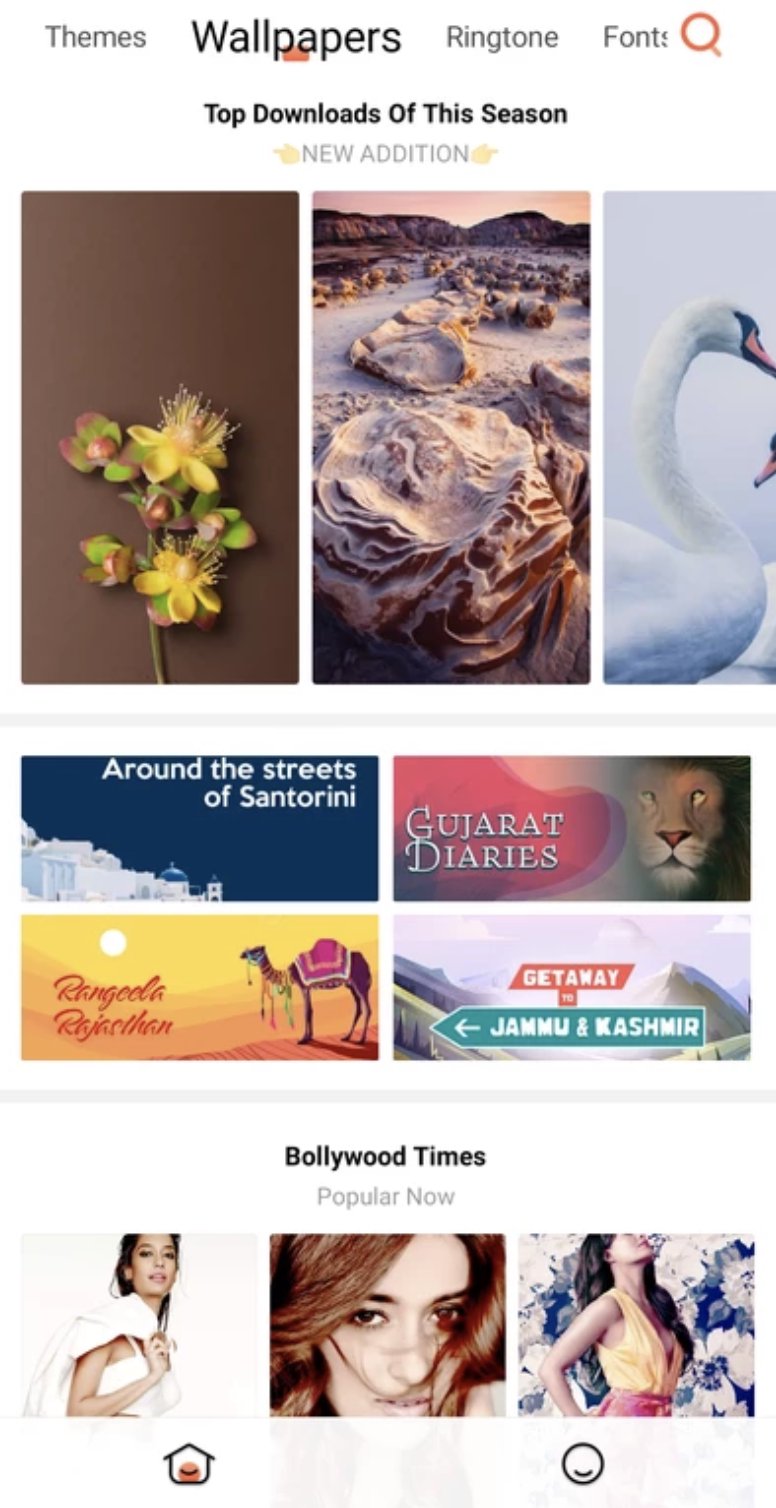
HD wallpapers libraryThe app provides a large collection of high definition wallpapers organized in clear categories. You can explore trending images, search by keywords, and see how a wallpaper fits your screen before setting it. Xiaomi Themes adapts selections to different display sizes so backgrounds appear crisp.
Ringtones and notification soundsXiaomi Themes includes a catalog of tones for calls, messages, and alarms. You can listen to samples and set them directly from the app without extra steps. Choices update your sound profile immediately so changes are easy to confirm.
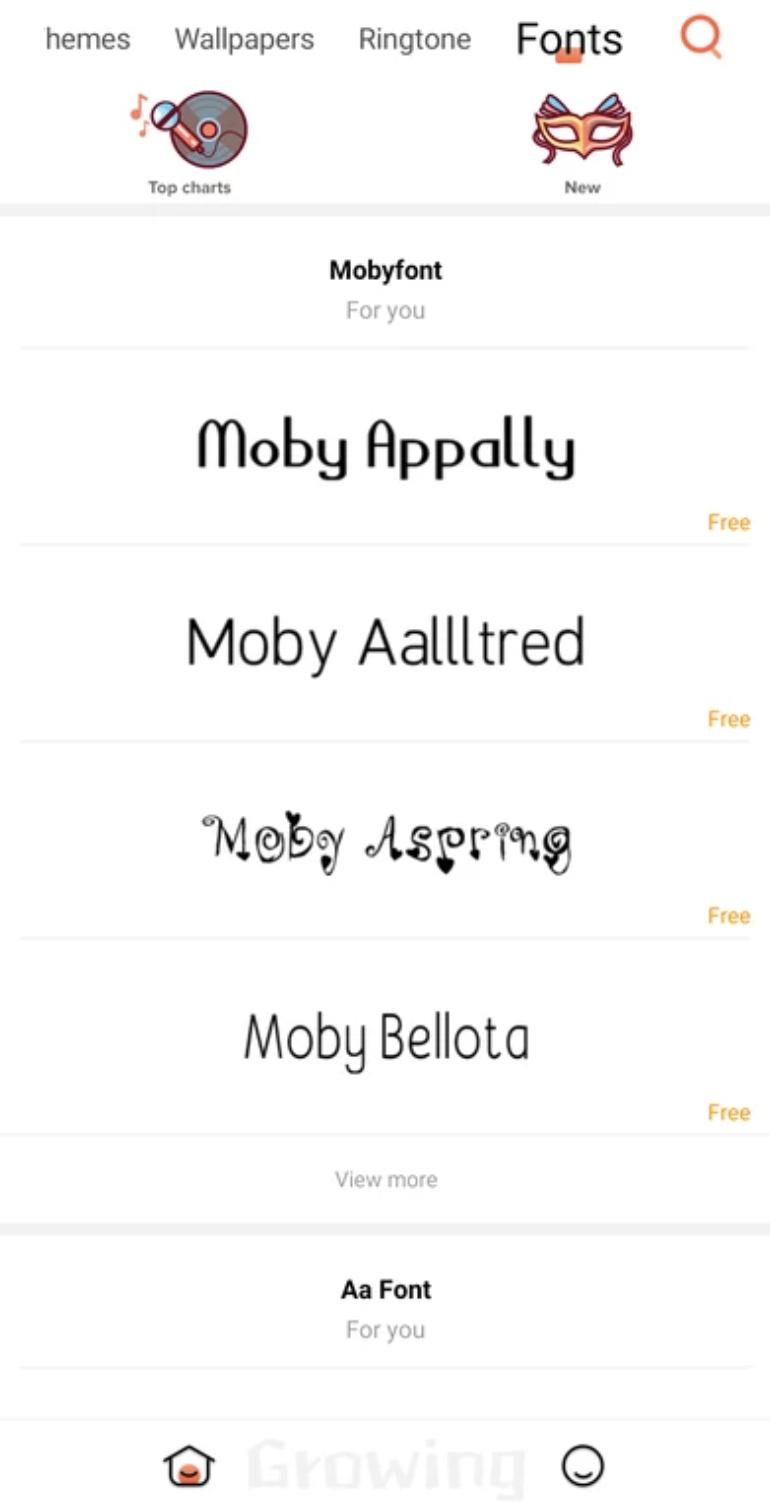
Fonts and system typographyThe app offers a wide range of font styles that adjust typography across menus and supported apps. You can preview text samples to check readability, then apply the font system wide. Xiaomi Themes keeps font changes consistent with MIUI’s layout and spacing.
Official distribution and regional availabilityXiaomi Themes is distributed by Xiaomi through GetApps and is optimized for MIUI devices. Access can differ by country, device family, and firmware. Some HyperOS builds or certain tablets may restrict visibility or hide the app entirely. If the app is missing or cannot be installed, the restriction typically comes from the device’s software configuration.
Xiaomi Themes, also known as MiTheme, is designed for Xiaomi, Redmi, and POCO phones running MIUI or compatible HyperOS variants. On some devices, the app icon may be hidden or disabled by the firmware, which makes it appear unavailable even when the service is present. Regional settings and model type can also affect visibility and access to specific content collections.
Tablets such as recent Xiaomi Pad models may not support the app in the same way phones do. Sideloaded installations can fail when the device forbids the package or removes required system components. These behaviors are common on builds where personalization is managed differently by the system.
The Import option for local theme files may not appear in every region or firmware. When available, the feature usually shows inside the app’s profile or settings area. If the option is missing, it is typically disabled by the software and cannot be enabled without an update that restores support.
Xiaomi maintains a creator ecosystem where designers can submit themes, wallpapers, and fonts through the MIUI Theme Design Station. This channel supports reviews and distribution for content that meets MIUI guidelines. Users who enjoy browsing community designs can find creator submissions inside the app when regional access allows.
After you download Xiaomi Themes, open it to manage visual changes in one place. The app groups content by category, which helps you preview and apply designs quickly. Basic steps below outline a typical flow on supported MIUI or HyperOS builds.
Xiaomi Themes brings MIUI customization together in one app built for system wide changes. To stay aligned with supported features, check the Xiaomi Themes latest version and apply designs that match your device’s configuration.
Last updated on Mar 30, 2026
Minor bug fixes and improvements. Install or update to the newest version to check it out!
Latest Version
 3.0.5.3-global
Uploaded by
Xiaomi Inc.
Requires Android
Android 8.1+
Available on
Xiaomi Themes
Category
Report


Discover what you want easier, faster and safer.
