


Use APKPure App
Get Xiaomi Security old version APK for Android

Xiaomi Security is a device protection and optimization app that safeguards data and improves phone performance.
Xiaomi Security helps you keep a Xiaomi, Redmi, or POCO phone safe and organized during daily use. It brings protection, privacy controls, storage management, and performance tools together in one place so you can handle routine maintenance without switching between apps. As a core part of MIUI and HyperOS, it works closely with system settings and services for reliable results. For manual installs or updates, some users look for the Xiaomi Security APK when they need a specific build for their device.
Antivirus and security scan
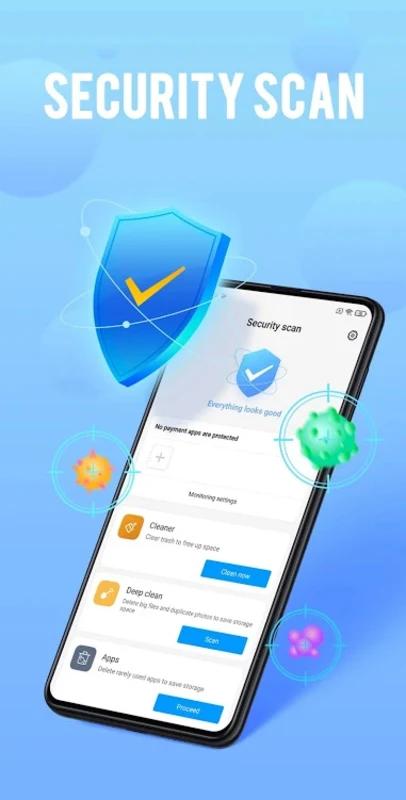
Xiaomi Security scans your phone to find malware and risky settings. The tool checks apps, files, and system areas, then recommends fixes you can apply with one tap. You can run a quick scan for routine checks or a deeper scan when something seems off. This helps you catch issues early and keep the device safe during everyday use.
App Lock and permissions control
Protect private apps with App Lock using a PIN, fingerprint, or face unlock. You can choose which apps need verification before opening, and adjust per app permissions so each tool only accesses what it needs. By reviewing requests for camera, location, contacts, and more, you reduce unnecessary data sharing and keep your information private.
Cleaner and performance boost
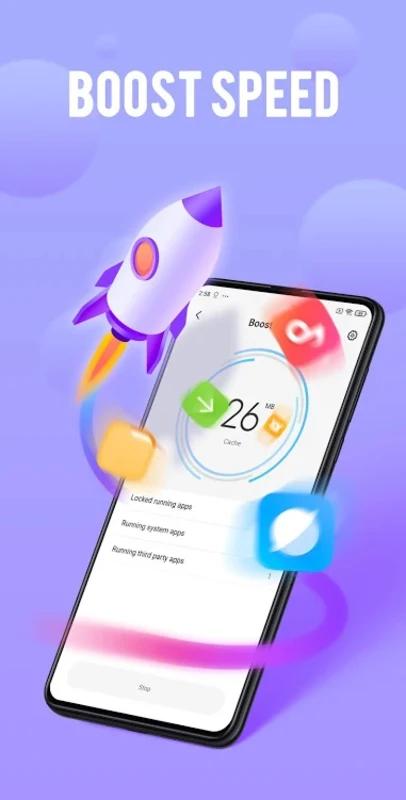
The Cleaner removes junk and cache files to free storage and tidy up leftover data from installs and updates. After clearing space, Xiaomi Security helps close background processes and balance performance so the phone stays responsive. This reduces small slowdowns you might notice during multitasking and gives apps the room they need to run smoothly.
Network and communication control
Track mobile data usage and set limits that match your plan. When you approach a cap, Xiaomi Security can alert you to avoid extra charges. You also get a blocklist for calls and SMS to keep problem numbers from reaching you. By combining data tracking with caller filtering, you manage costs and reduce spam in one place.
Game Turbo for focused play
Game Turbo adjusts system behavior to support gaming sessions and reduce distractions. You can tune performance options, control notifications during matches, and use handy tools without leaving the game screen. This keeps your phone aimed at the task at hand so you stay focused while playing.
Xiaomi Security is the built in suite for Xiaomi, Redmi, and POCO phones, and may appear as MIUI Security or HyperOS Security depending on your system. It integrates with core services and device settings, which is why it is exclusive to these brands. Feature placement and naming can vary slightly between models and regions, so some interface details on Global and India builds may look different.
Most users receive Xiaomi Security changes through the system updater in Settings. If you are looking for a MIUI Security app update, check the device’s update section first because Security often ships with system and app component updates. Manual APK installation is generally for Xiaomi phones that already include Security, and compatibility depends on MIUI or HyperOS versions and regional packages. In some builds, Game Turbo is accessible inside Security, while on others it may appear as a separate area under system tools.
If you download Xiaomi Security for a manual install, open the app and follow a simple flow to scan, protect, and optimize your phone. The layout groups protection, privacy, and cleaning tools so you can move from one task to the next without confusion.
Xiaomi Security brings protection, privacy controls, and optimization together for Xiaomi, Redmi, and POCO phones. If you need the Xiaomi Security latest version, check the system updater on your device or install a compatible APK for your region and system build.
Last updated on Oct 15, 2024
Minor bug fixes and improvements. Install or update to the newest version to check it out!
Latest Version
 9.3.1-240826.0.1
Uploaded by
Xiaomi Inc.
Requires Android
Android 6.0+
Available on
Xiaomi Inc.
Category
Report



Discover what you want easier, faster and safer.
