


Use APKPure App
Get USB Audio Player PRO old version APK for Android
USB Audio Player PRO is a music player app that delivers bit-perfect playback with USB DACs and HiRes chips.
USB Audio Player PRO serves listeners who want accurate playback when using an external USB DAC or a phone with HiRes audio. The app focuses on maintaining the original signal path so your device decides the quality, not system resampling. You can organize local files, connect to network locations, and access select streaming services in one place. With clear routing and device control, USB Audio Player PRO APK provides a focused player that fits everyday listening at home, at work, or on the go.
Bit-perfect USB playback
USB Audio Player PRO includes a custom USB audio driver to bypass Android’s 16 bit 48 kHz limit. When your DAC supports it, playback can reach up to 32 bit 768 kHz and native DSD. This setup helps keep the audio stream untouched from file to DAC, which is essential for critical listening.
HiRes driver on supported phones
On selected devices, USB Audio Player PRO can use an internal HiRes driver for 24 bit playback without resampling. Supported lines include models from LG V series, Samsung, OnePlus, Sony, Nokia, and several digital audio players. You choose the output path in the app, which allows you to match the driver to your device.
Wide format support
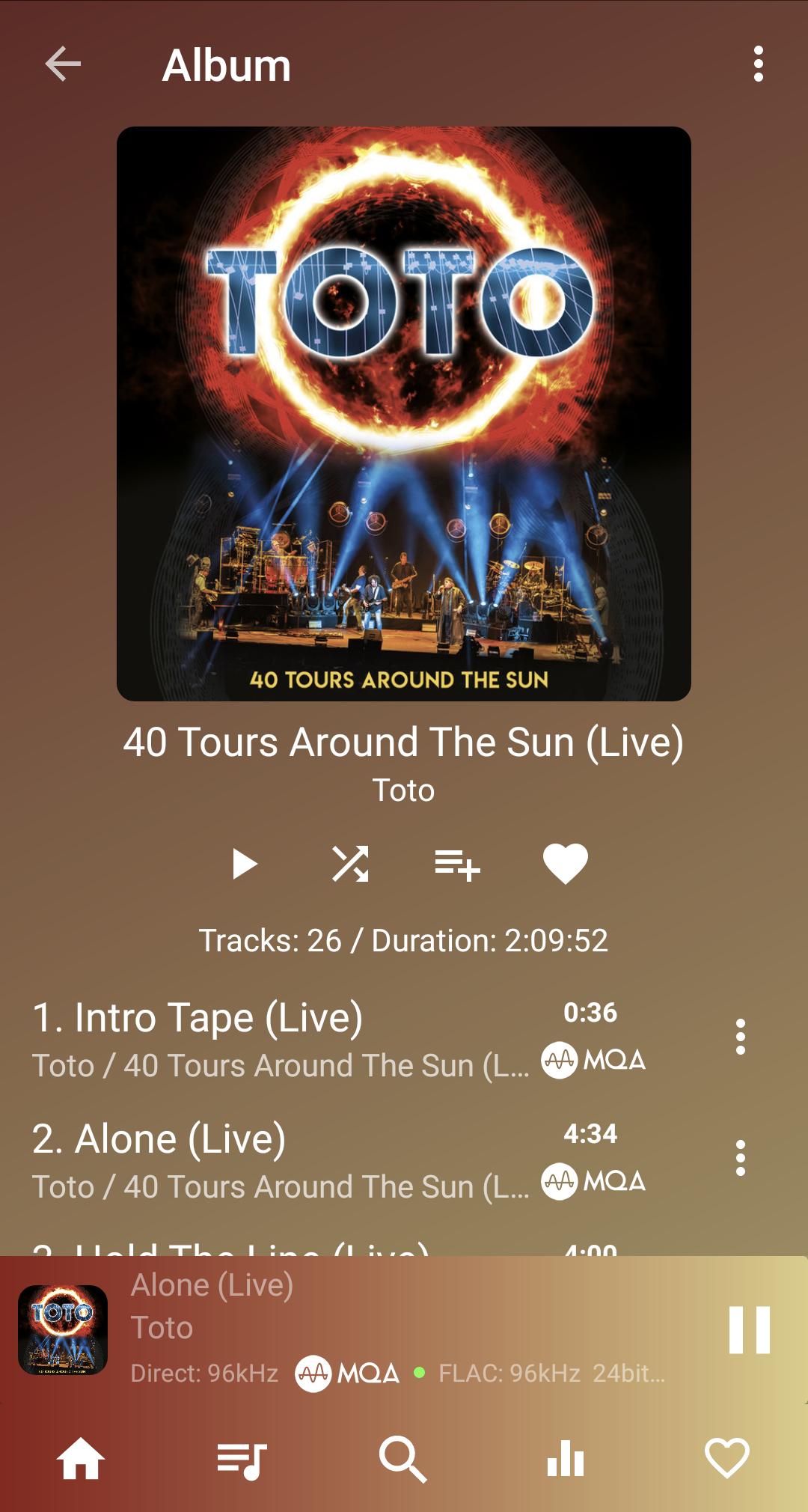
The app plays common and niche formats including wav, flac, ogg, aiff, aac, m4a, mp3, ape, cue, wavpack, SACD ISO, DSD, and MQA. This coverage helps you keep mixed libraries intact without converting files. You can queue tracks across formats and play albums gaplessly when the source allows it.
Streaming and network audio
USB Audio Player PRO integrates TIDAL with HiRes FLAC and MQA, plus Qobuz for high resolution streaming. You can browse Shoutcast internet radio when you want curated stations. For home libraries, the app works as a UPnP DLNA client and server, and it can read Samba, FTP, and WebDAV shares. This combination allows local storage, NAS, and streaming to sit inside one player.
Tools and optional add-ons
The player includes gapless playback, replay gain, and a 10 band EQ for quick adjustments. You can add the ToneBoosters parametric EQ as an in app purchase for detailed control, and MorphIt for headphone simulation. Playback supports DoP or native DSD and offers sample rate conversion when needed. On some Android 8 and newer devices, Bluetooth codec and sample rate switching can be controlled inside the app.
Feature Pack and audio capture
An optional Feature Pack enables audio capture from other apps such as Deezer, Apple Music, or Poweramp. In addition, it lets you include Dropbox and UPnP sources directly in the Library view for easier browsing. Capture is designed for listening sessions, not for low latency video, and availability can vary by device and service.
USB Audio Player PRO is not a system wide audio driver. To benefit from its USB and HiRes output paths, playback needs to happen inside the app. The audio capture option in the Feature Pack may not work on every device or with every service. Some services, including Spotify, may require a browser based web player to route audio into the app, and capture latency is not suitable for movies.
USB Audio Player PRO uses a one time purchase model for the core app. Optional in app purchases are available for the ToneBoosters parametric EQ, MorphIt headphone simulation, the MQA Core decoder, and the Feature Pack. Bluetooth codec control and some HiRes options remain device dependent, so results can vary across phones and DACs.
Getting started is straightforward once your sources and output are selected. To begin, download USB Audio Player PRO and prepare your DAC or phone output. Then set a driver, add music sources, and start playback.
USB Audio Player PRO focuses on bit perfect output, HiRes drivers, broad format support, and integrated streaming for controlled playback. For a smooth setup, install the USB Audio Player PRO latest version and select the output driver that matches your device and DAC.
For official resources and support, use the links below.
Last updated on Apr 15, 2026
Minor bug fixes and improvements. Install or update to the newest version to check it out!
Latest Version
 7.1.0.8
Requires Android
6.0
Available on

Category
Report





Discover what you want easier, faster and safer.

USB Audio Player PRO
7.1.0.8 by eXtream Software Development
Apr 15, 2026
$7.99