


Use APKPure App
Get Assistive Touch old version APK for Android
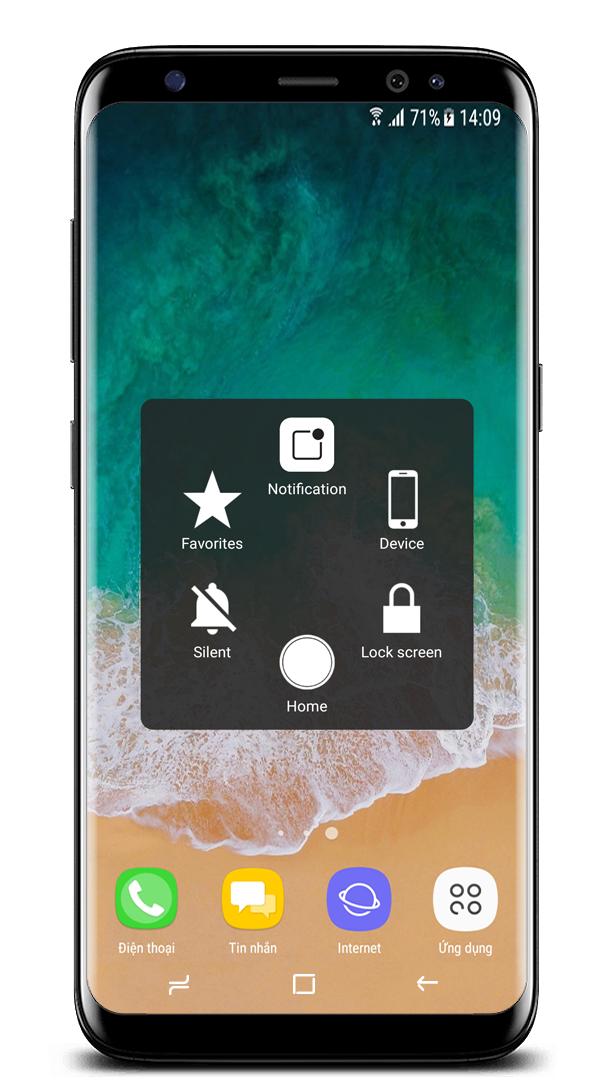
Assistive Touch to control your device, help you perform more actions quickly.
Notice:
Some new advance function such as Capture Screenshot, Power popup...only support high software version 5.0 and up.
If your phone dose not supported please do not give bad review.
Thank for your support
★ Assistive Touch for Android
You can use AssistiveTouch to control your device, control center better.
Assistive Touch is also an ideal app to protect the physical buttons for Android device!
★ Quick touch setting with one touch to
- Screenshot, screen capture (OS 5.0 or above)
- Virtual home button
- Back button
- Easy touch to lock screen
- Open recent task
- Virtual volume key button, quick touch to change volume key and change sound mode
- Go to all settings very quick with a touch
- Clear ram, boost speed, one touch boost
- Control Center
- Fast Charger
- Wi-Fi
- Bluetooth
- Brightness
- Ringer mode (normal, vibrate, silent)
- Screen rotation
- Airplane mode
- Open Notification
- Power popup
- Volume up & down
- Location (GPS)
- Flashlight bright
- Applications or games on your device
★ Ram Booster - Clean Memory
Boost your phone, free up memory (RAM), speed up your device and save battery. Our 1 Tap Boost make it easy to optimize directly from your home screen. This is a fast and use full booster feature to clear unnecessary apps running background, smart clean ram memory. Clean your phone when plug in with power, may help your phone charging faster.
★ Advance
- You can change icon of Assistive Touch with many pretty icons. And if you want others icons, please let us know.
- Funny with more themes and new themes are updated regularly, you can change color of background with your favorite color.
★ Feedback
- If Easy Touch brings you amazing and convenience, please don’t hesitate give us a nice review and 5 Stars
Thank you very much!
---------------------------------------
Frequently Asked Questions:
1/ How to uninstall Easy Touch?
Please be noted that you need do by this way to uninstall app, kindly please open app and click to “Deactivate and Uninstall”.
2/ Why couldn’t I use Screenshot Capture function?
Screenshot Capture only is available on OS 5.0 or higher. So if your device is not satisfied, it should be rooted to operate that function.
Thank you very much!
Last updated on Nov 5, 2017
Fix some issues report by user
En Son Sürüm
 1.0.5
1.0.5
Yükleyen
Nyan Lin Htut
Gereken Android sürümü
Android 4.1+
Kategori
Bildir



Discover what you want easier, faster and safer.

Assistive Touch
1.0.5 by Assistive Touch Application
Nov 5, 2017