We use cookies and other technologies on this website to enhance your user experience.
By clicking any link on this page you are giving your consent to our Privacy Policy and Cookies Policy.

About Tincore Keymapper

Tincore Keymapper is a control mapping app that remaps controllers, keyboards, and touch input for Android games.

Tincore Keymapper helps users who want consistent controls across games and apps that lack native gamepad support. It lets you align buttons and gestures to on screen actions on phones, tablets, and TV devices, so play feels familiar. Many tools work without root; however, advanced touch and pointer simulation may require it on some devices. You can install the Tincore Keymapper APK on compatible Android systems and adapt the layout to your needs.


Tincore Keymapper Features

Extensive controller support

  • Connect Bluetooth and USB gamepads, keyboards, and mice, including Moga, Nyko, Wiimotes, Wamo, and IPega.
  • Simulate PlayStation, Sixaxis, or Xbox gamepads in titles that recognize those pads.
  • Remap any key, button, or mouse action to match in‑game functions.
  • Tune settings to keep input latency low during play.

Touch and virtual controls

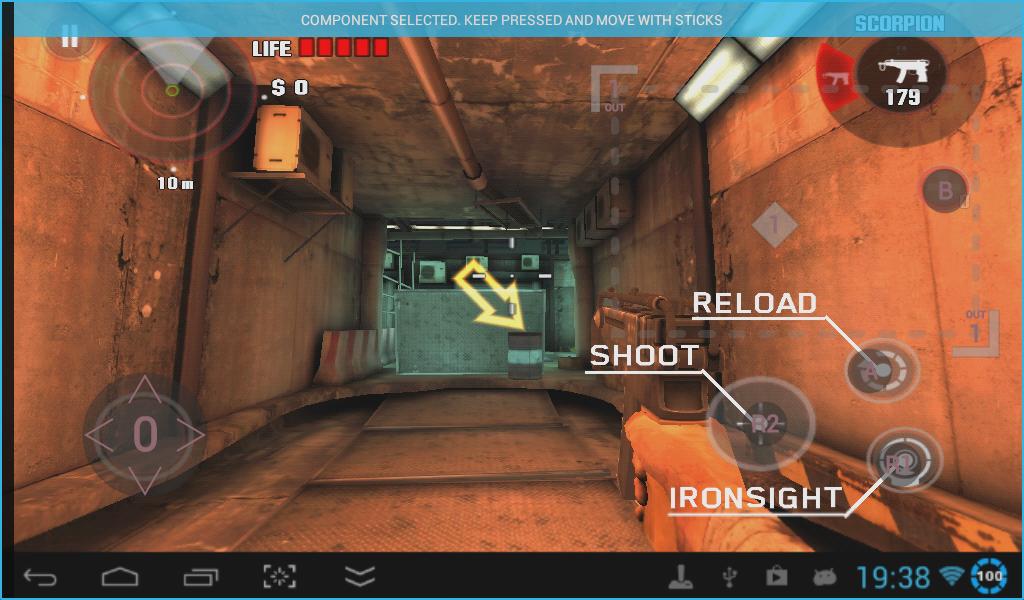
For touch only games, Tincore Keymapper lets you create virtual buttons and pads on the screen and convert them to mouse or analog stick actions. A virtual pointer helps navigate apps on TV sticks that lack mouse support. Root is required for touch, joystick, or mouse simulation.

Remote and PC control

  • Map input from one Android device to another over WiFi or other networks.
  • Send mouse and keyboard commands from Android to Windows, Linux, or macOS.
  • Convert a keyboard or joystick to a mouse, or turn a mouse into a stick or touch input.
  • Use the accelerometer as an air mouse or steering wheel, or control via a webcam or phone camera.

Profiles and compatibility notes

  • Create per app profiles that apply automatically when a game launches and share them with others.
  • Use several gamepads and keyboards at the same time when needed.
  • An optional IME controlled by gamepads is included; rooted devices usually do not need it.
  • Best results are achieved with kernels that include the uinput module. Wiimotes do not work on Android 4.2. The app does not require root, but many advanced features do.


Get started with Tincore Keymapper

This tool helps you tailor input across games, touch apps, and even remote devices. Review root requirements and device notes before setup, then create profiles that suit your play style. When you download Tincore Keymapper, check compatibility for your controllers and Android version.

What's New in the Latest Version 3.7.8

Last updated on Mar 5, 2025

Minor bug fixes and improvements. Install or update to the newest version to check it out!

Translation Loading...

Additional APP Information

Latest Version

Request Tincore Keymapper Update 3.7.8

Uploaded by

Tincore

Requires Android

Android 2.3.2+

Show More

Tincore Keymapper Screenshots

Languages
Subscribe to APKPure
Be the first to get access to the early release, news, and guides of the best Android games and apps.
No thanks
Sign Up
Subscribed Successfully!
You're now subscribed to APKPure.
Subscribe to APKPure
Be the first to get access to the early release, news, and guides of the best Android games and apps.
No thanks
Sign Up
Success!
You're now subscribed to our newsletter.