



Use APKPure App
Get Resolution Changer old version APK for Android
Resolution Changer is a display utility app that lets you set custom screen resolution and DPI on Android using ADB.
Resolution Changer focuses on practical control of your screen size and display density. It temporarily unlocks the Android display API through ADB, then applies the width, height, or DPI you enter. This helps you tune clarity, responsiveness, and battery use without root. Settings take effect as soon as you apply them, and you can return to your original look at any time. Moreover, built in recovery steps help you revert if a value does not work for your device. Therefore, users who want a balanced experience for gaming, reading, or everyday use can adjust the display to suit their needs.
Custom resolution and DPI control
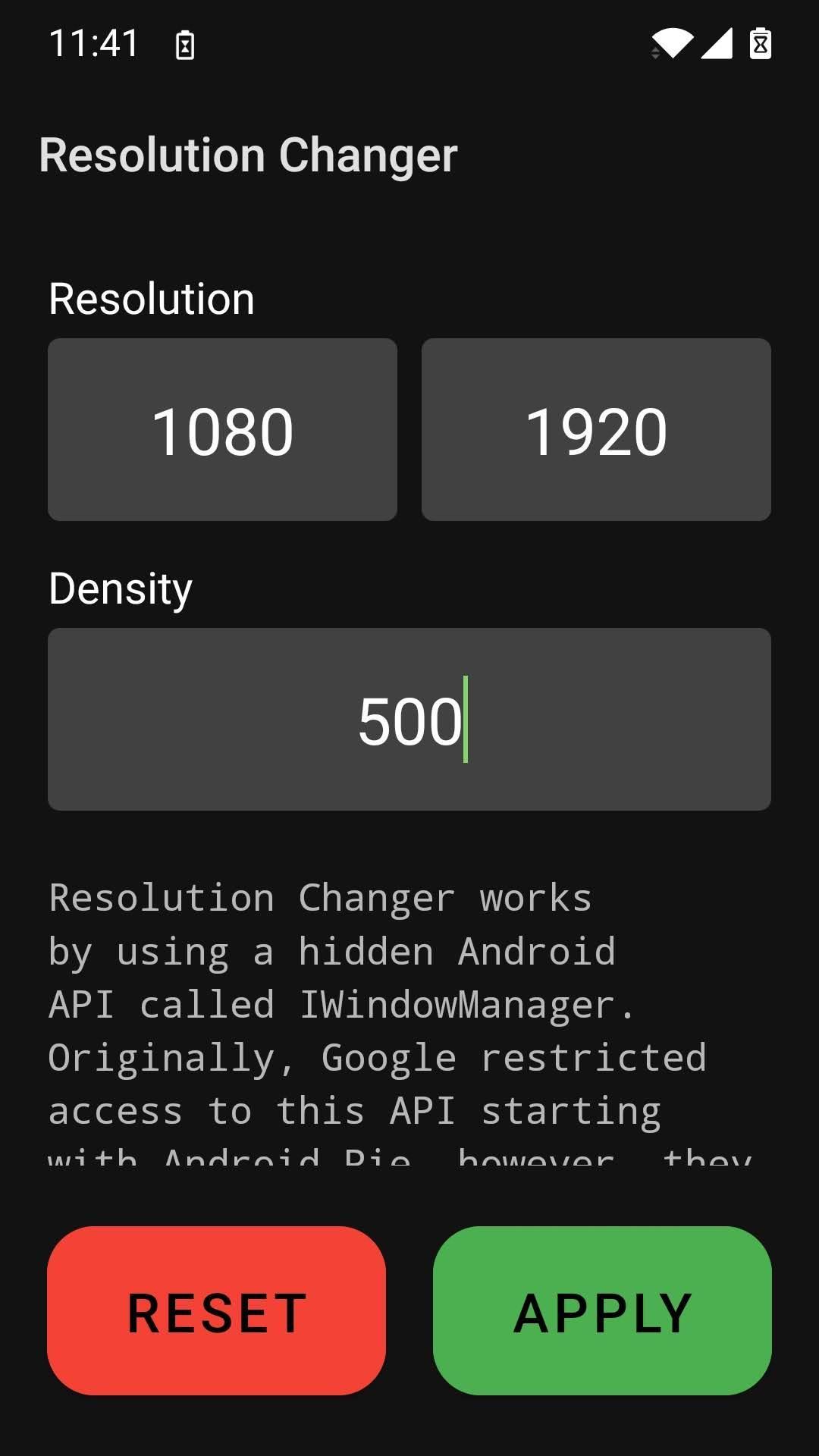
Resolution Changer lets you enter exact width and height or only a DPI value, so you can fine tune UI scaling and text size. This provides a clear way to adjust how much content fits on screen. In addition, the app applies changes immediately so you can quickly compare results.
ADB based setup without root
The app uses a single ADB step to unlock the hidden display API, and it does not require root. You enable Developer Options and USB debugging, then connect to a PC to complete the initial unlock. After this, you control resolution and density directly from Resolution Changer.
Smart defaults that reduce guesswork
If you leave width and height empty, Resolution Changer keeps your current screen size. If you omit DPI, it calculates a suitable value based on your screen. Therefore, you can start with minimal changes and adjust gradually.
Performance and battery tuning
Lowering resolution can lighten GPU load and make animations feel more responsive. Games may run smoother at reduced sizes, and battery draw can decline during long sessions. Also, raising DPI improves readability for text heavy tasks.
This quick guide explains the initial setup and first change. You will use ADB once, then you can adjust values inside the app. Follow each step in order to avoid display issues.
Open Settings on your device, enable Developer Options, then turn on USB debugging.
Download Resolution Changer APK on this page, install it, and launch the app.
After enabling USB debugging, connect your phone to a PC with ADB installed and trusted. Follow the in app prompt and run the provided ADB command to enable display control.
Then return to the app and enter a width and height, or enter only a DPI value. Tap Apply to confirm and check the result.
So if the screen looks too small or large, adjust the values and apply again. If the display becomes hard to use, connect to ADB and run adb shell wm size reset and adb shell wm density reset to revert.
How do I download and install Resolution Changer APK?
To download and install, use the "Download APK" button on this page and save the file to your device. Then open the APK, allow installs from this source if prompted, and complete setup. For updates, visit this page on APKPure to get the Resolution Changer APK latest version.
Does Resolution Changer require root access?
No, Resolution Changer does not require root. It uses a one time ADB step from a PC to unlock the display API, and afterward you can change resolution and DPI directly in the app.
Can I use Resolution Changer without a PC or without ADB?
The initial unlock requires a PC with ADB. After this setup, Resolution Changer lets you modify width, height, or DPI without reconnecting to a PC, as long as the permission remains active. If the permission is cleared by a reset or device change, run the ADB step again.
What resolution or DPI should I choose for gaming or battery life?
Start with small changes and test. A modest resolution drop can improve responsiveness and reduce battery use during long sessions. For reading or UI clarity, adjust DPI upward in small increments. Resolution Changer applies changes immediately, so you can compare and settle on a comfortable setup.
Last updated on Jul 1, 2022
- Update libs and kotlin version
- Warn if failed to apply with solution steps
- Update resolution fetching API
- Update target version
Thanks to a tester named Pest for contacting me about a report for resolutions not applying!
Latest Version
 1.5
1.5
Uploaded by
Richard Snacks Ameda
Requires Android
Android 4.2+
Available on

Category
Report



Discover what you want easier, faster and safer.
![[Substratum] Samsung System Mo icon](https://static.cdnpure.com/mobile/static/imgs/lazy.png "[Substratum] Samsung System Mo")