


Use APKPure App
Get qBittorrent® for Android old version APK for Android
qBittorrent® for Android is a remote control app that manages your qBittorrent Web UI from mobile.
qBittorrent® for Android suits users who run qBittorrent on a PC, NAS, or seedbox and want to manage activity away from the desk. It connects to the Web UI so you can keep an eye on downloads and queue from your phone or tablet. Because it works as a controller, it fits users who prefer a simple way to check progress and add new torrents while out and about. For easy access on mobile, many users look for qBittorrent® for Android APK to get started quickly.
Remote monitoring and control
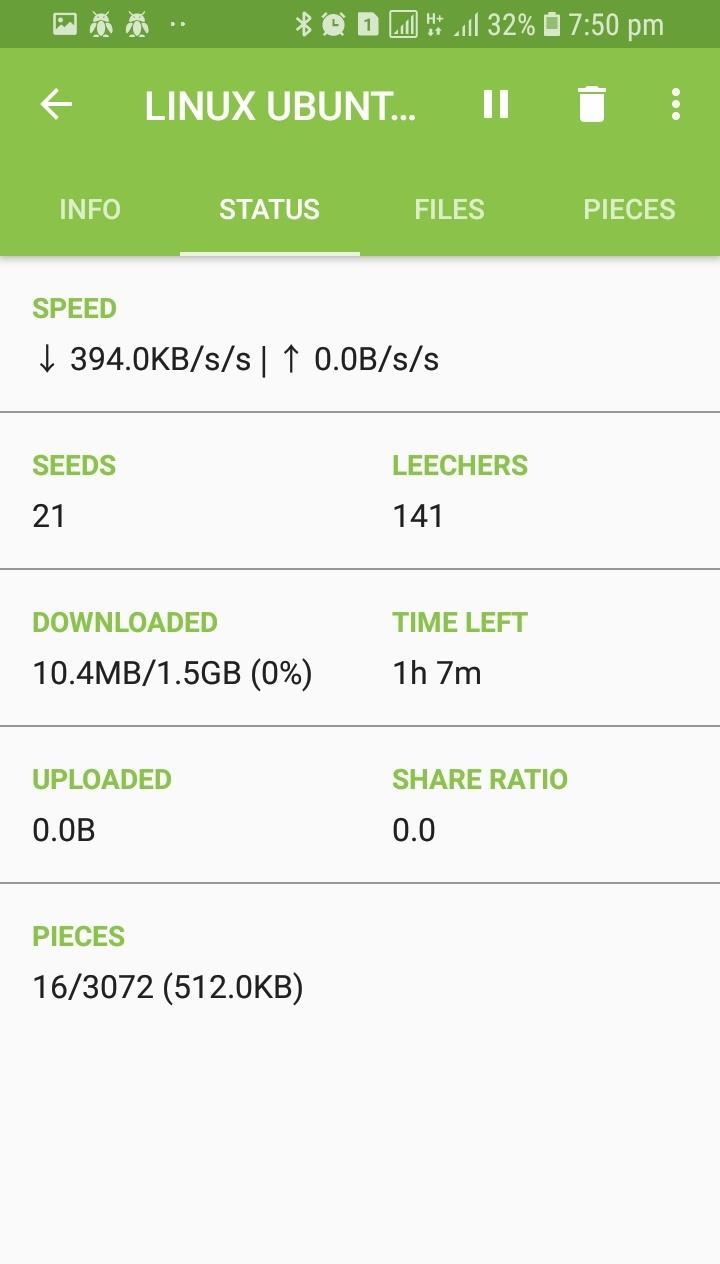
qBittorrent® for Android lets you view and manage the torrents on your remote qBittorrent instance. You can pause, resume, or remove items and check speeds and progress in real time. This helps you keep your queue tidy even when you are not near the server.
Add torrents using magnet links or URLs
You can add new torrents directly from Android using a magnet link or a torrent file URL. The app sends the request to your connected server so the download starts there. This keeps your phone free from large downloads while your server handles the work.
Multiple servers in one place
The app supports more than one qBittorrent server, which is useful if you run both a home PC and a seedbox. You can switch between servers without reentering details each time. This makes it easier to manage different environments in a single view.
Works across common setups
qBittorrent® for Android connects to any qBittorrent instance that exposes the Web UI, including desktop installs, NAS packages, and Docker containers. As long as the Web UI is reachable, the controller can manage the queue. This flexibility helps the same app fit many network setups.
Simple connection process
Getting connected is straightforward. Enable the Web UI in your qBittorrent settings and note the server address, port, and login. Then enter those details in the Android app to start managing your torrents remotely.
qBittorrent® for Android is a remote controller, not a full torrent client that runs on the phone. It requires a qBittorrent instance running elsewhere with the Web UI enabled. There is no official full qBittorrent client that downloads directly on Android. All downloads happen on the connected device, such as your PC, NAS, or seedbox.
The app needs your qBittorrent server to be reachable from your phone. On a home network, this usually works with the local IP and port you set in qBittorrent. If you plan to connect over the internet, confirm that you use proper credentials and that the Web UI port is accessible only as intended. This approach keeps control in your hands while keeping the queue running on your chosen device.
Before you download qBittorrent® for Android, prepare a qBittorrent instance with the Web UI turned on. The steps below outline the basic flow from setup to first connection. If you need help with the desktop or NAS setup, refer to the official qBittorrent website for guidance.
qBittorrent® for Android provides a clear way to control your qBittorrent queue from a phone or tablet. Set up the Web UI on your server, connect from the app, and manage tasks wherever you are. For the best experience, use the qBittorrent® for Android latest version when you set up your connection.
Last updated on Sep 13, 2018
Minor bug fixes and improvements. Install or update to the newest version to check it out!
Latest Version
 1.4.9
1.4.9
Uploaded by
Đoàn Phước Tài
Requires Android
Android 4.1+
Category
Report




Discover what you want easier, faster and safer.

qBittorrent® for Android
1.4.9 by Tire Zu Dev.
Sep 13, 2018