


Use APKPure App
Get ocrX old version APK for Android
Image to text scanner: extract text from photos, pictures & screenshots fast.
Image to Text in Seconds — Free OCR Scanner
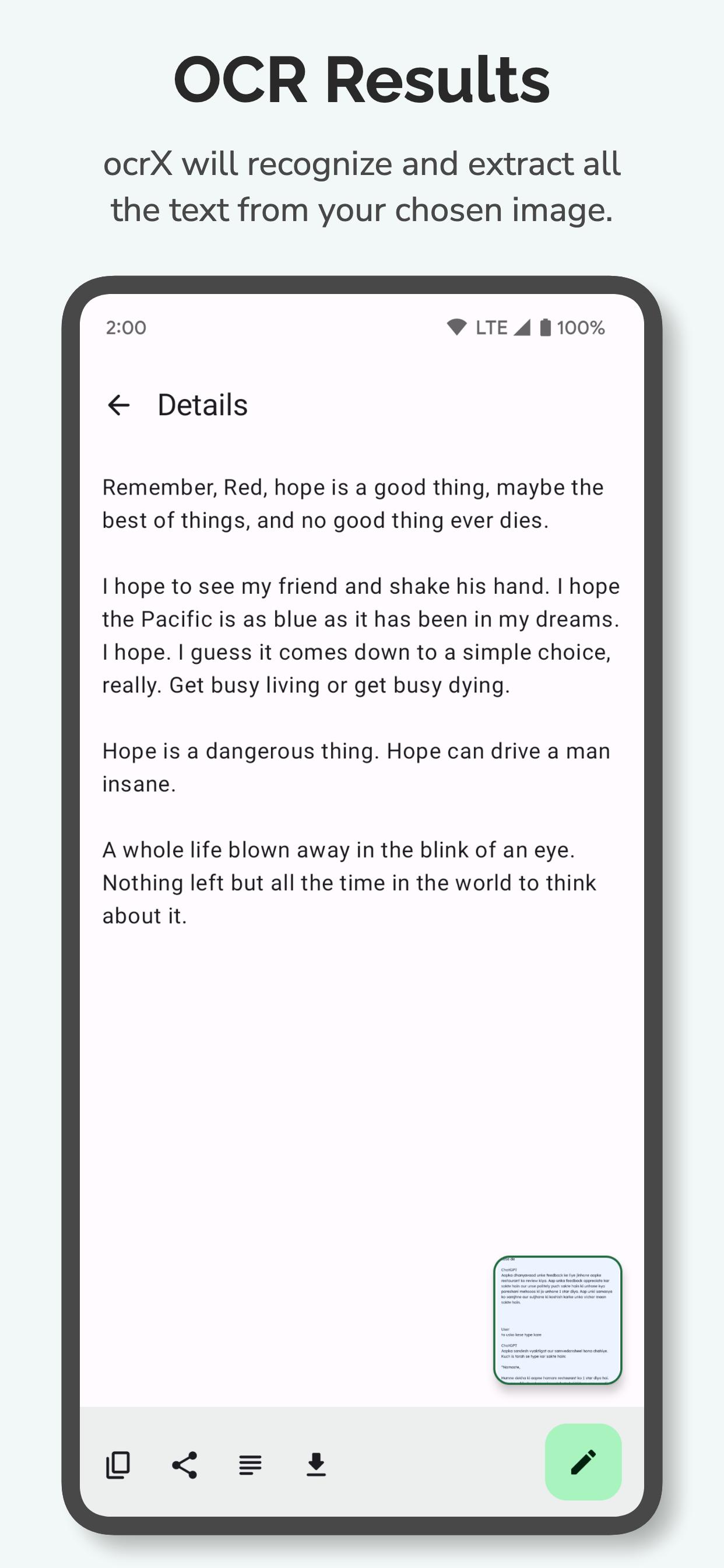
ocrX is the fastest image to text converter for Android. Snap a photo or upload a picture — ocrX extracts editable text in seconds. Whether you need to scan text from images, convert handwritten notes, or copy text from screenshots, ocrX is the picture to text app built for accuracy and speed.
Why ocrX is the Best Image to Text Scanner
• 99%+ Accuracy: Our cloud-powered OCR engine reads image to text with industry-leading precision — printed documents, multi-column layouts, small fonts, and even tricky photos.
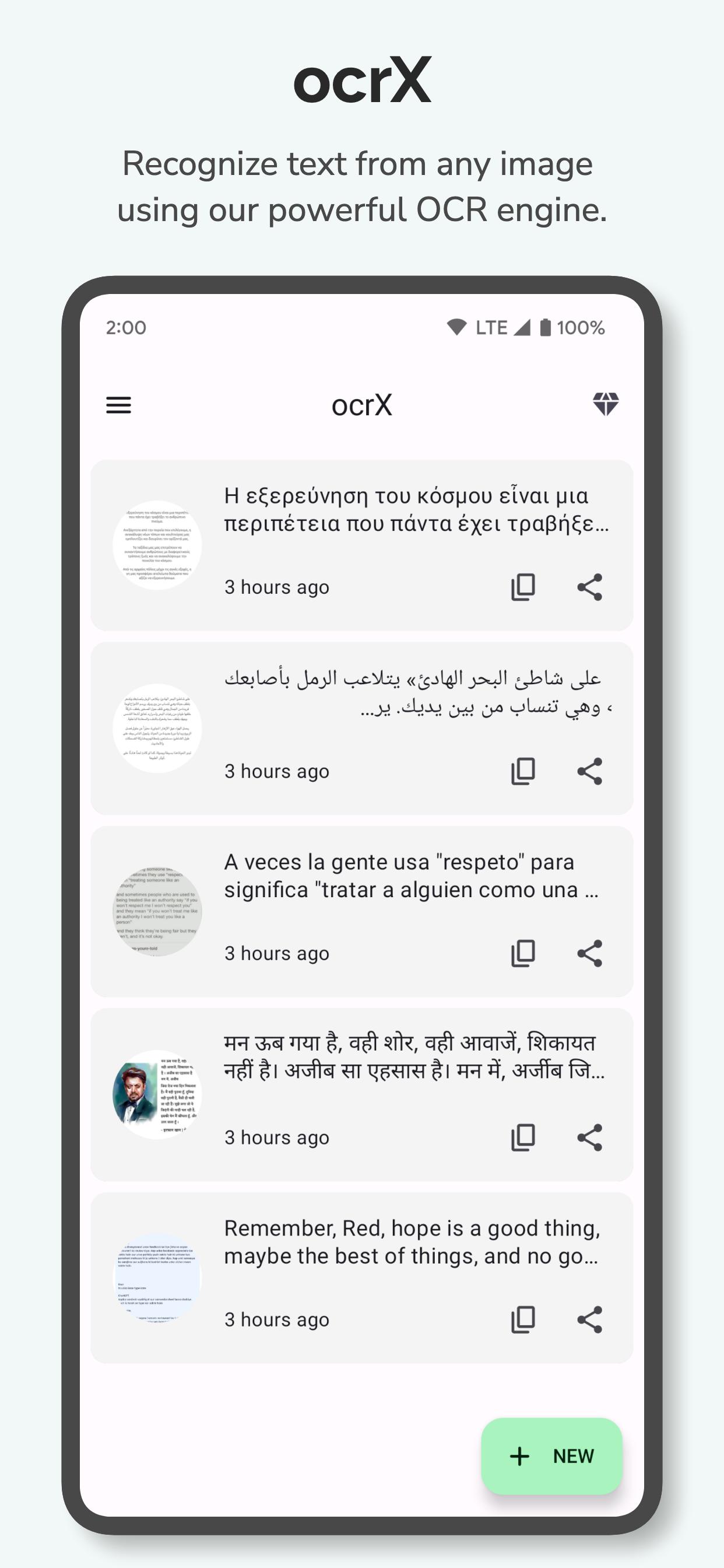
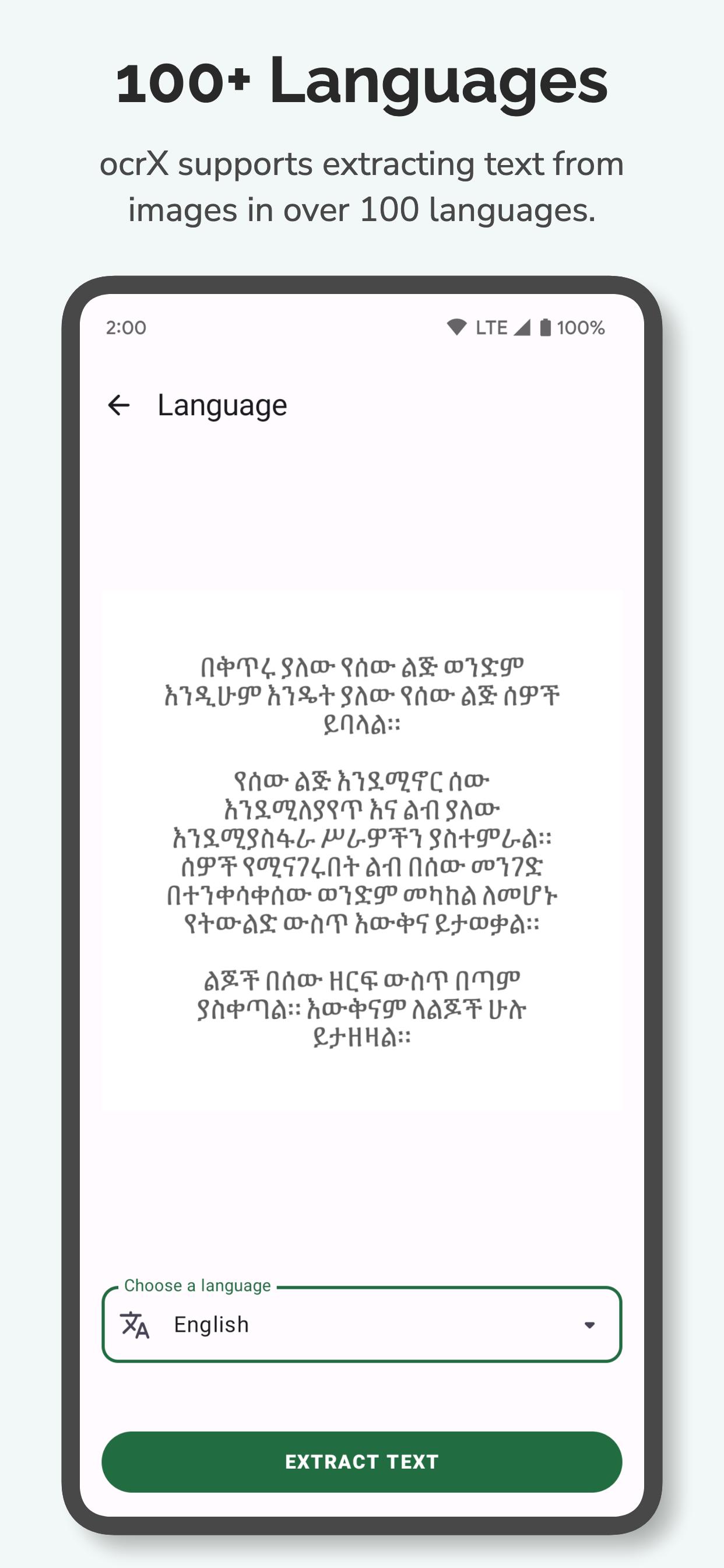
• 100+ Languages: Convert image to text in English, Spanish, Chinese, Arabic, Hindi, French, German, Japanese and 90+ more. Auto language detection built in.
• Handwriting Support: Scan handwritten notes, whiteboards, and sticky notes. ocrX recognizes handwriting with cloud AI.
• Photo to Text, Anywhere: Use your camera or pick any picture from your gallery. ocrX turns photo to text instantly.
• Screenshot Scanner: Extract text from screenshots, social posts, and saved images with one tap.
Key Features
• Image to Text Scanner: Convert any picture to editable text in one tap.
• Photo to Text Converter: Extract text from photos, screenshots, business cards, receipts, and books.
• Export as TXT: Save extracted text as a plain text file. Share to email, Slack, Drive, or any app.
• Quick Copy: One tap to copy extracted text to your clipboard.
• Smart History: Every scan is saved, searchable, and ready to revisit.
• Crop & Enhance: Trim images before OCR for cleaner results.
• Auto-Detect URLs & Numbers: Tap extracted phone numbers, emails, and links to act instantly.
Who Uses ocrX
• Students: Scan textbooks, lecture slides, and handwritten notes.
• Professionals: Digitize contracts, business cards, whiteboards, and receipts.
• Travelers: Translate signs and menus in 100+ languages.
• Researchers: Extract text from journal pages, articles, and printed material.
Privacy You Can Trust
ocrX uses encrypted connections for every cloud-powered scan. Your images are processed securely and never shared with third parties.
Why Choose ocrX Over Other OCR Apps
Most image to text apps rely on offline engines that struggle with complex layouts, small fonts, and handwriting. ocrX uses cloud AI to deliver recognition accuracy that offline OCR scanners simply cannot match — while keeping the interface clean, fast, and ad-light.
Join thousands of users who picked ocrX as their daily image to text scanner.
Download ocrX — the smartest image to text converter on Android.
Last updated on Dec 11, 2025
Your recipes, notes, and mysteriously crumpled papers just got luckier!
We’ve boosted ocrX with sharper text-recognition accuracy, squashed a few sneaky bugs, and polished performance so everything runs smoother than fresh butter on hot paratha.
Latest Version
 2.53
2.53
Uploaded by
Gia Tinh Tran
Requires Android
Android 7.0+
Available on

Category
Report



Discover what you want easier, faster and safer.
