


Use APKPure App
Get MTK Engineering Mode old version APK for Android

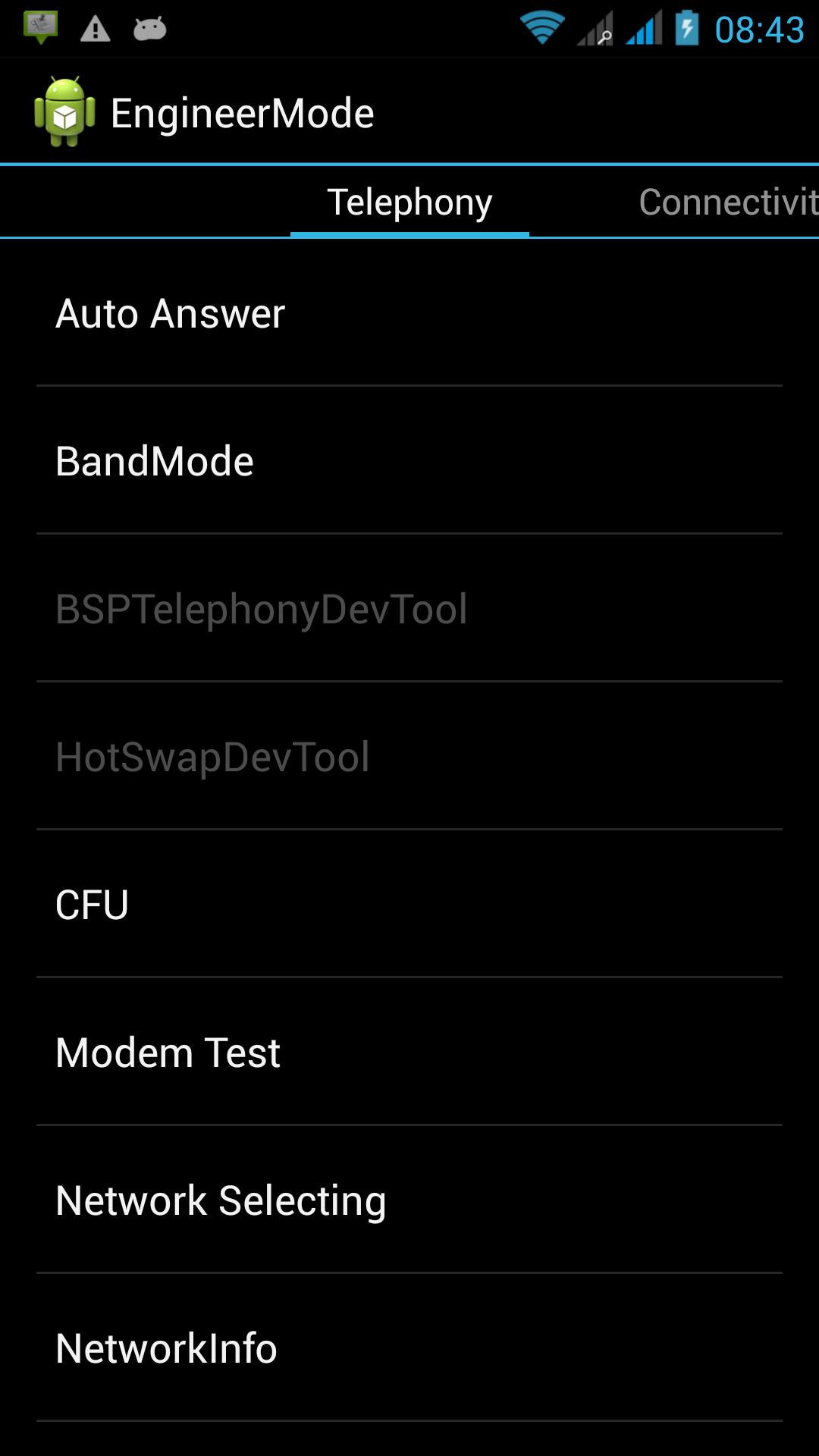
MTK Engineering Mode is a utility app that opens the hidden Engineering Mode on MediaTek phones.
MTK Engineering Mode addresses situations where you need quick access to service screens to test hardware or adjust connectivity settings. The app acts as a launcher into manufacturer menus that are usually hidden from normal users, so you do not have to enter brand codes or search through system activities. It is intended for MediaTek devices and power users who understand these options. Before you proceed, confirm your device chipset. If you need a direct installer, look for the MTK Engineering Mode APK.
MTK Engineering Mode gives you a direct route into the device’s Engineering or Service Mode with a single tap. You can skip dialer codes and reach the internal setup screens faster. This approach helps when you already know what you need to adjust and want to get there without extra steps.
Designed for MediaTek chipsets onlyThe app is purpose built for MediaTek hardware. It will not work on phones that use other chipsets, which includes many popular brands and models. To avoid frustration, check your device specifications in Settings or the manufacturer’s documentation before installing.
Access to hidden connectivity and test optionsOnce inside the service menu, you can find controls that manufacturers usually hide, such as network mode or band selections and hardware testing panels. MTK Engineering Mode does not change these options itself. It simply opens the menu where you can review or modify them if your device firmware allows it.
Simple launcher with minimal permissionsMTK Engineering Mode focuses on launching the hidden menu and does not request location permission. The interface is straightforward, so you can open the engineering screens without dealing with extra tools. According to the app’s description, it does not collect or share user data.
Lightweight tool for quick advanced accessThe app is small in size and fast to start, which makes it practical for occasional checks or adjustments. It keeps its scope narrow and avoids additional features that could slow you down. If you prefer to stay current, you can look for the MTK Engineering Mode latest version when updating.
This app works only on devices with MediaTek chipsets. Phones that run on other platforms are not supported, and the launcher will not open the service menu on those devices. Some manufacturers also disable or restrict engineering menus in certain firmware builds, so results can vary across models. If your phone does not expose the service activity, the app cannot enable it.
Engineering menus expose settings that affect radio behavior and device calibration. Changing network bands or baseband related options can impact IMEI status, cellular registration, or SIM detection. Proceed only if you understand the implications and accept the risk of unexpected behavior. It is recommended to note your current values before editing anything and avoid changes you cannot reverse.
MTK Engineering Mode is a shortcut to the original manufacturer screens rather than a standalone configuration tool. The options you see and what you can change depend on your device and firmware. Some items may be read only or hidden, and availability can differ after system updates. In some cases, similar menus can also be reached with brand specific dial codes, but the app provides a faster way to open them if supported.
The steps below outline a simple way to reach the service menu on a supported phone. This process assumes you already confirmed chipset compatibility. If needed, update to the MTK Engineering Mode latest version before starting.
MTK Engineering Mode offers direct entry to manufacturer service screens on compatible MTK phones. Use it to reach connectivity and test menus without dial codes, then proceed cautiously with any changes. When ready, download MTK Engineering Mode and verify your device compatibility first.
For official support or more information about the developer, use the details below.
Last updated on Sep 9, 2016
New engineering button for sams devices
Latest Version
 1.2
1.2
Uploaded by
Thoon Phyo Aung
Requires Android
Android 3.2+
Available on

Category
Report


Discover what you want easier, faster and safer.
