


Use APKPure App
Get Mobizen old version APK for Android

Mobizen Screen Recorder is a screen recording app that captures your Android screen with one tap.
Mobizen Screen Recorder helps users record tutorials, gameplay, and app walkthroughs without extra setup. With simple controls, it starts and stops recordings quickly, and files are saved on the device for privacy. No login is required, so you can begin using it immediately. In addition, long sessions are supported when storage is managed well. For readers comparing options, the phrase Mobizen APK refers to the installable Android package for this recorder.
Mobizen records up to QHD 1440p at 60fps with a bitrate up to 24 Mbps. You start recording with one tap, and videos save locally on your phone for easy access. For longer sessions, you can set the save location to an external SD card to reduce storage pressure. This helps keep large files organized and avoids interruptions.
Clean and Hide modesMobizen offers Clean mode to record without a watermark. It also provides Hide mode, which removes the on-screen recording button during capture. You choose the mode before starting, and the footage stays focused on content. This makes tutorials and gameplay videos clearer for viewers.
Facecam and audio captureMobizen lets you overlay a facecam with audio so reactions appear alongside the screen. It captures game sounds and your voice together, depending on device support and settings. You can adjust the facecam size and placement to match the scene. This setup is helpful for commentary and coaching videos.
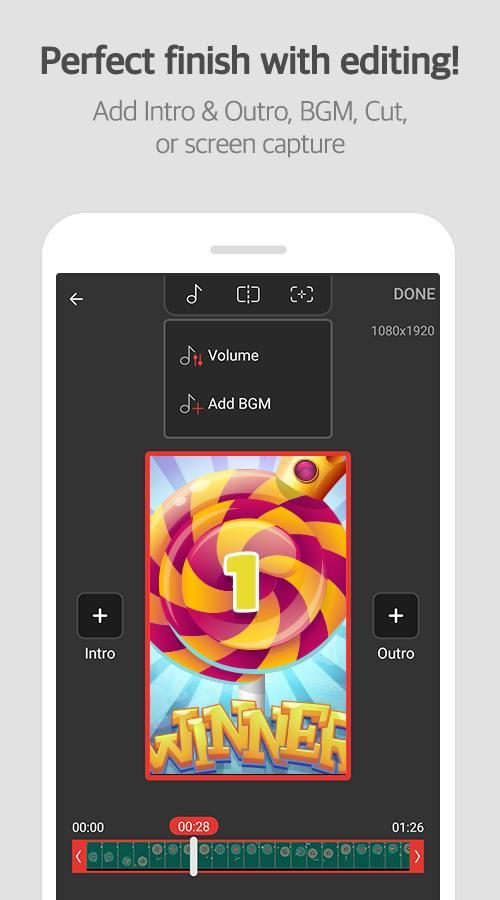
Editing, drawing, and GIF toolsMobizen includes a built-in editor for trimming and quick polish. You can draw or highlight on-screen to point out steps or important areas. It supports a custom watermark for channel branding and simple GIF creation for short clips. These tools help produce share-ready videos without leaving the app.
Automation and Air Circle customizationMobizen provides Auto Tap and Auto Swiping to automate repetitive touches during recording. These features require AccessibilityService permission, which is used only to perform tap and swipe actions. You can stop automation at any time and adjust intervals as needed. Additionally, the Air Circle styles are customizable to fit your screen layout.
Mobizen for Android does not require an account, and recordings are stored only on the user’s device. Files are not uploaded to external servers by default, which supports private workflows. Core features are free to use, so most users can record and edit without extra steps. This reduces friction when starting a new project.
Auto Tap and Auto Swiping rely on the AccessibilityService API to simulate touches. Mobizen does not collect or transmit personal data through this permission. It exists to repeat actions on your screen when you set up an automation sequence. You can review and disable the permission in your device settings at any time.
For users who need higher fidelity internal audio, the optional Mobizen Stereo Recorder M2 hardware can capture device sound as-is alongside a microphone. This is a separate accessory and not required for basic recording. It helps creators who want clean game audio while narrating. Check device and accessory compatibility before use.
To get started, open the app and follow the on-screen prompts for permissions. After you download Mobizen, set basic preferences so the first recording is ready. The process is simple and flows from setup to capture to edit.
Mobizen Screen Recorder focuses on reliable capture, simple editing, and local file control. Install the Mobizen latest version to create tutorials, gameplay runs, or app demos on Android without extra setup.
For official resources and support, use the links below.
Last updated on Jan 29, 2026
A new version has been released.
- Fixed an issue with internal audio recording on Pixel 8/9 devices.
- Added recording settings presets and a snapshot feature.
Latest Version
 3.10.17.5
Uploaded by
MOBIZEN
Requires Android
Android 6.0+
Available on

Category
Report





Discover what you want easier, faster and safer.
