


Use APKPure App
Get Graphics Driver Preferences old version APK for Android
Graphics Driver Preferences is a utility app that opens and adjusts Android Game Driver Preferences.
Graphics Driver Preferences suits users who switch graphics drivers during testing or gameplay and want faster access to the system panel. It brings the driver picker to the front, so you do not have to dig through developer options each time. With a simple launcher, you can move between different driver choices and compare behavior in supported games. Results depend on device and game engine, so plan quick checks before longer sessions. To keep up with changes, many users look for the Graphics Driver Preferences latest version when starting fresh on a new device.
One tap access to the driver panel
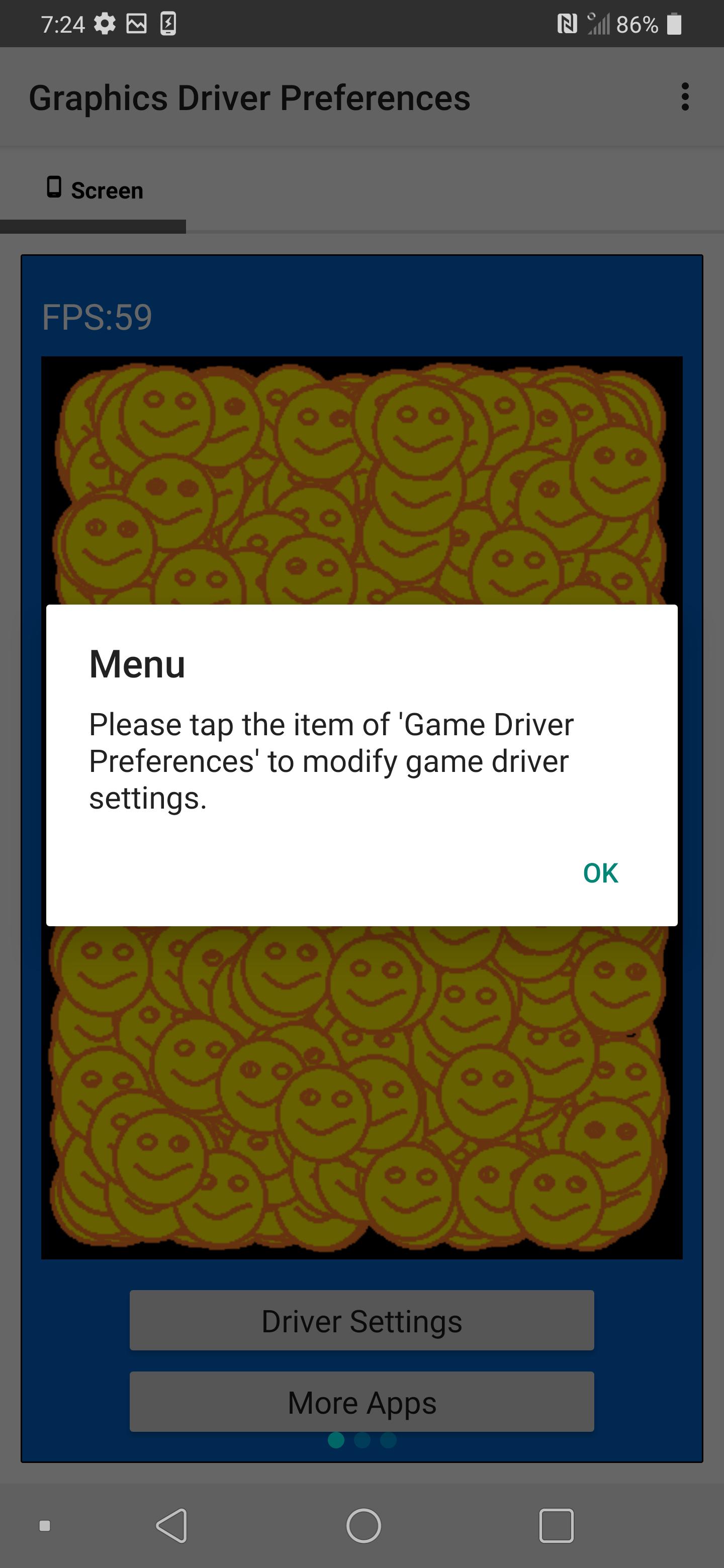
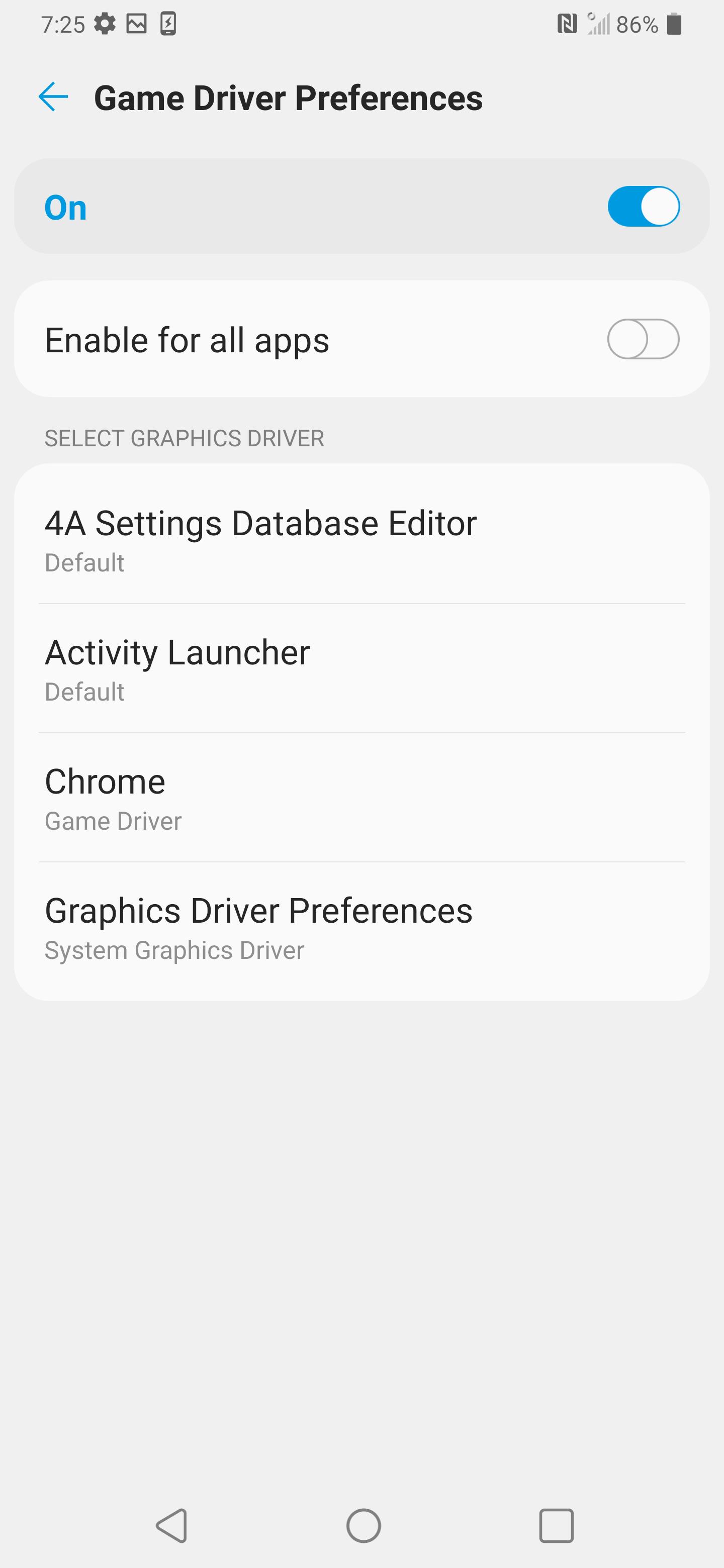
Graphics Driver Preferences provides a shortcut that opens the built in Graphics driver preferences screen in developer options. You can reach the list of installed apps and their current driver selection with one tap. This saves time during testing and reduces the chance of changing unrelated settings by mistake.
Per app driver selection
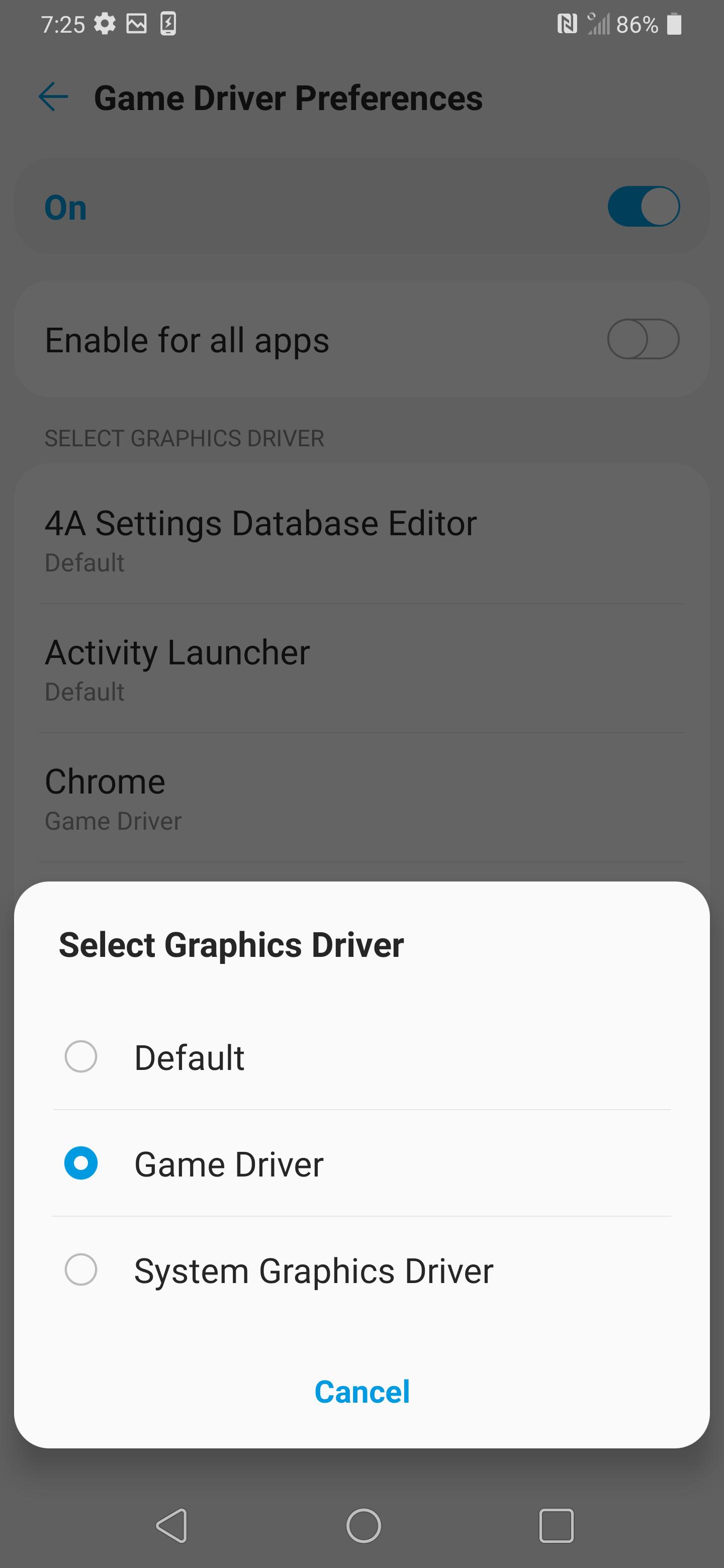
You can set a different driver for each app. Choose System Graphics Driver when battery efficiency and stability are the priority. Switch to Game Driver when you want to try higher performance in supported titles, then observe behavior and revert if you see instability.
Local custom driver testing
For advanced users, the app supports testing GPU drivers that are already installed on the device. It does not install drivers itself. Instead, it surfaces the system’s driver chooser so you can point a specific app to a locally available experimental driver. This helps isolate changes without a full system update.
Built on native platform support
Graphics Driver Preferences uses the platform’s native GPU driver framework available on newer Android devices. In some cases, switching can improve stability in modern graphics APIs such as Vulkan and may raise frame rate in titles that support the Game Driver path. Outcomes vary by hardware, firmware, and game engine, so each test should be confirmed in real play.
Developer stated privacy approach
According to the developer, the app does not collect or share user data. The developer also states that any data sent by the app is encrypted in transit. This setup aligns with a utility that focuses on local device settings.
This app acts as a launcher for a built in Android setting. It cannot install GPU drivers. Custom or experimental drivers must already be present on the device, provided by the device maker or installed by the user. The app opens the correct system panel so you can direct an app to use one of the drivers that the device already recognizes.
Availability of the driver picker depends on the device and software build. Some brands expose it in developer options, while others may hide it or not support it at all. Performance changes are not guaranteed and can differ across games, especially with different renderers such as Vulkan or OpenGL. A practical approach is to start with System Graphics Driver for battery saving, try Game Driver when testing performance, and switch back if you notice crashes, visual glitches, or heat during play.
The steps below describe the basic flow to open the driver picker and set choices for a single app. You can use this process to try different drivers, compare results in a game, and revert when needed. If you installed the Graphics Driver Preferences APK, follow these steps to get started.
Graphics Driver Preferences brings the graphics driver picker to one place and keeps the focus on per app changes. It helps you move between system and game drivers during testing and return to defaults when needed. To begin, download Graphics Driver Preferences and use brief sessions to confirm your settings in each game.
For official support and developer details, see the links below.
Last updated on Aug 1, 2025
1.1.4 Update to SDK 35
Latest Version
 1.1.4
1.1.4
Uploaded by
Duta Wardhana
Requires Android
Android 10.0+
Available on

Category
Report


Discover what you want easier, faster and safer.

Graphics Driver Preferences
1.1.4 by Cast4TV
Aug 1, 2025