


Use APKPure App
Get Flat-L old version APK for Android
Flat L for Zooper
Required to use these widgets:
Zooper Widget Pro (Pro is needed for apk skins) - http://goo.gl/zxCjK5
How to use:
1. After installation, place a Zooper Widget (of needed size) on the screen from your list of widgets.
2. A panel with a complete list of all Zooper Widget Skins will appear. Select Flat-L and then in the following list, choose the one that you want.
Setup:
Nexus 5
Nova Launcher 6x6 no dock, no status bar, none margins
Xposed Framework
Xblast for navigation bar color
Includes:
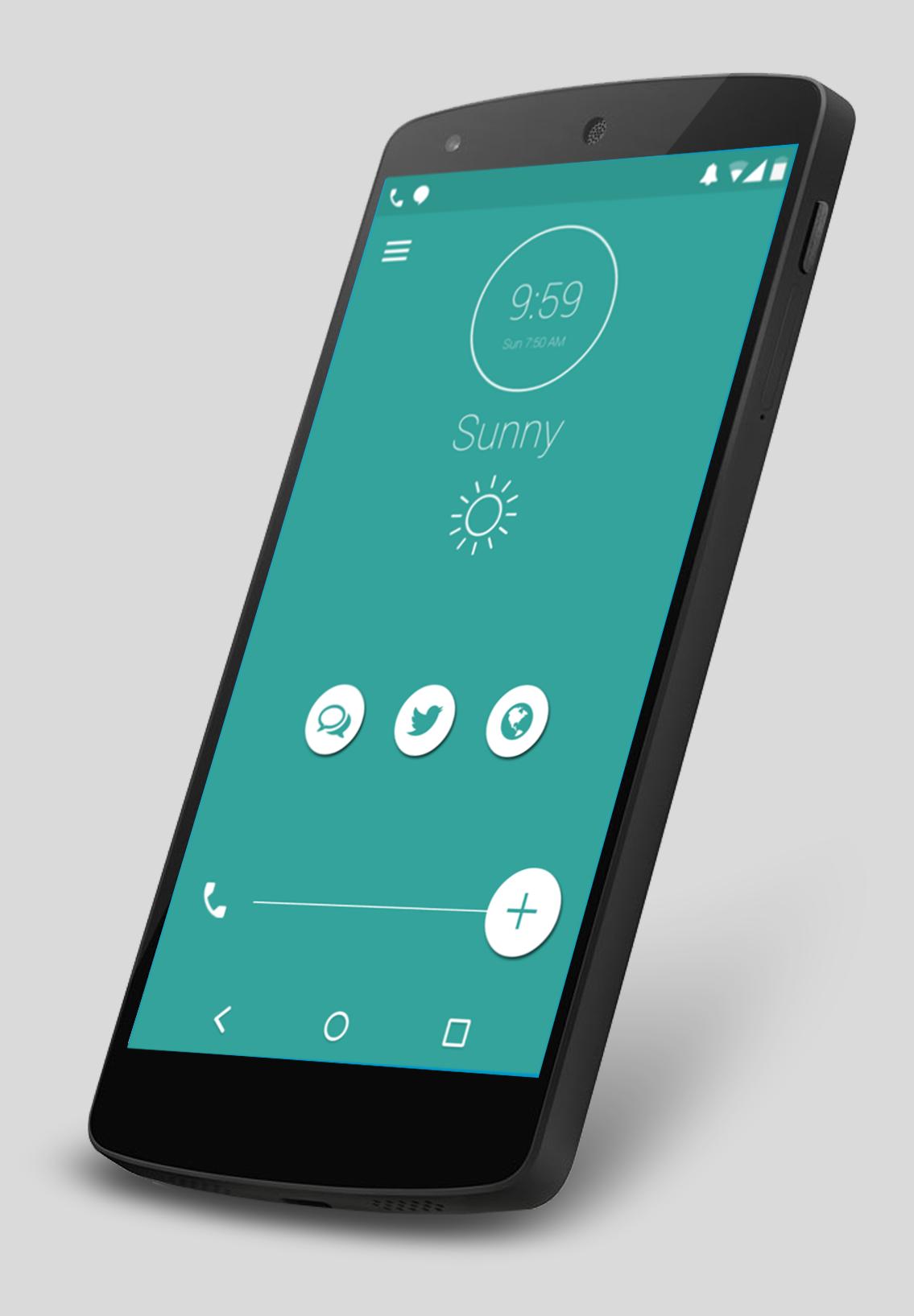
2 Zooper Widgets
Top with status bar icons, missed calls, sms
Clock, alarm and weather
Bottom Phone, G+, Hangouts, Twitter, Chrome
Big Thanks to Socko'Pack, Victor Burgoa, and tatosXL for the icons used.
If you like it please rate it. Thanks!!!
Last updated on Nov 8, 2015
Minor bug fixes and improvements. Install or update to the newest version to check it out!
Latest Version
 1.00
1.00
Uploaded by
Fernando Castello
Requires Android
Android 4.0.3+
Category
Report



Discover what you want easier, faster and safer.

Flat-L
1.00 by ECH
Nov 8, 2015