


Use APKPure App
Get Fire Headshot old version APK for Android
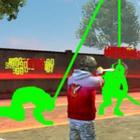
Fire Headshot is a gaming optimization companion that helps Free Fire players tune sensitivity and HUD for steadier aim.
Fire Headshot helps players who face wobbly aim, lag spikes, and inconsistent drag or one tap headshots during matches. It combines sensitivity generation, a graphics controller, and HUD guidance so you can practice with stable settings that fit your device. As a companion, it focuses on optimization and training rather than shortcuts, which keeps play fair. To start quickly, download Fire Headshot and pick a preset that matches your phone before making small adjustments.
Fire Headshot provides curated sensitivity values tuned for popular drag and one tap techniques. You select a profile and the app aligns camera, scope, and aim settings to reduce jitter. This gives you a predictable base so adjustments feel consistent from match to match, which helps you train muscle memory with fewer surprises.
GFX Tool controls for smoother framesTo minimize visual stutter, Fire Headshot includes a GFX Tool that lets you adjust frame rate and detail levels. You can lower heavy effects or raise performance where your device can handle it, then test how the changes affect aim stability. This way, you balance clarity and smoothness without hopping between multiple utilities.
Lag reduction focus with RAM boostFire Headshot aims to trim short lag spikes that break your drag motion. A simple RAM boost clears background clutter before you play, and the app suggests small system tweaks to stabilize resource use. With fewer interruptions, your aim trace stays steadier while swiping to the head.
Pro HUD layouts for better control placementYou can import HUD schemes inspired by pro players to improve reach and crosshair control. Fire Headshot positions buttons to reduce finger travel and keeps essential inputs within easy access. After importing, you adjust sizes and spacing for your hand and screen, then save the layout for quick reuse.
Regedit style fine tuning by deviceBeyond presets, Fire Headshot offers granular sliders for sensitivity, DPI, and scope multipliers that match your device and playstyle. You start from a stable base and nudge values up or down, checking how each change affects your drag speed and precision. This careful approach keeps controls aligned with your hardware instead of chasing random numbers.
Fire Headshot is an optimization and training companion for Free Fire and Free Fire MAX. It does not modify game files or bypass game rules, and it focuses on device aligned settings rather than cheats. To streamline setup, the app groups presets by device class such as low end, mid range, and high end, plus separate profiles for standard and MAX builds. A quick start wizard guides you to a suitable baseline, then you fine tune details. For the most complete preset library, check the Fire Headshot latest version.
Many regedit style apps ask users to manage multiple add ons or file managers. Fire Headshot keeps setup inside one interface and avoids extra steps that create friction. The focus stays on a simpler preset library, practical lag reduction, and clear HUD placement rather than complex patching. This approach suits players who prefer structured adjustments and steady training over risky tweaks.
This short guide covers basic setup so you can test aim with stable controls. For a clean flow, start from a device preset, then adjust sensitivity and HUD placements gradually. Confirm the Fire Headshot APK is up to date before you begin.
Fire Headshot aligns sensitivity, HUD, and graphics so players can train drag and one tap techniques with steadier results. For current presets and device guidance, use the Fire Headshot latest version. This headshot app supports clear, practical adjustments that match your hardware and playstyle.
Last updated on Nov 15, 2022
Minor bug fixes and improvements. Install or update to the newest version to check it out!
Latest Version
 1.0
1.0
Uploaded by
Lê Linh
Requires Android
Android 4.4+
Category
Report



Discover what you want easier, faster and safer.
