


Use APKPure App
Get Device ID old version APK for Android
Device ID is a utility app that displays and lets you copy essential Android identifiers.
Device ID helps in moments when you need to verify a phone, complete a registration, or send clear device details to support. It brings key identifiers and system info together so you do not need to search across different screens. Additionally, it keeps everything readable and ready to copy or share for quick troubleshooting. If you want a straightforward tool for diagnostics or setup, download Device ID and keep device data close at hand without extra steps.
Device ID shows core identifiers on a single screen, so you can see the values without digging through settings. Tap to copy a field when you need it for a ticket or a form. Share selected details through your preferred app to support or team chats. This reduces manual typing and helps avoid simple mistakes.
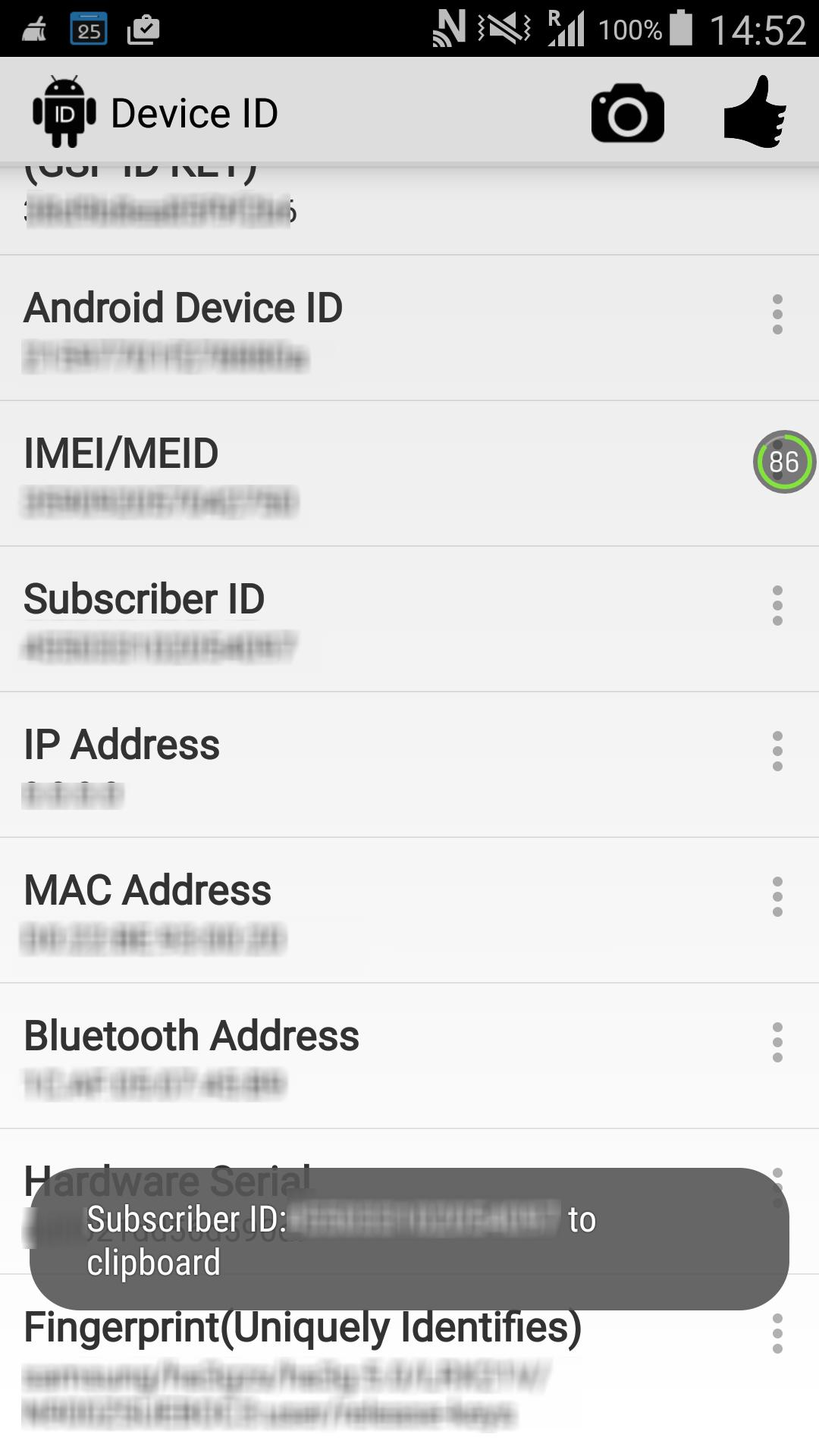
Essential identifiers in one placeYou can access Android ID, Google Services Framework ID, IMEI or MEID, subscriber ID, SIM serial, hardware serial, and the device build fingerprint. These values are grouped clearly to speed up checks and registrations. Availability depends on Android version and granted permissions, and some fields may be limited on newer releases. Device ID indicates what is accessible so you know what to use.
Network details for troubleshootingDevice ID includes WiFi MAC, Bluetooth MAC and name, plus internal and external IP addresses. This helps you confirm network status during diagnostics or when pairing accessories. When connections act up, these fields provide quick context for next steps. It keeps network identifiers handy for support conversations.
System and battery insightsFor configuration checks, Device ID shows CPU details and memory info with total and free values alongside the device fingerprint. You also get a battery dashboard with status, health, level, plugged state, voltage, temperature, and technology. These readings support compatibility questions and help spot battery issues early. It presents the essentials without extra navigation.
Privacy first designDevice ID does not collect or share your data. When the app communicates, data is encrypted in transit. Permissions are minimal and requested clearly on Android 6.0 and above. Identifiers are shown locally so you stay in control of what you copy and share.
Some identifiers are restricted by newer Android policies. IMEI or MEID, hardware serial, and certain subscriber fields may require specific permissions or may not be available on some devices. Advertising ID is managed by system privacy settings and may need consent or separate steps. When you install the Device ID APK, expect the app to display only what the operating system allows and what you choose to permit.
Device ID supports real tasks that often slow down support and setup work. Consider these common scenarios.
If a field is unavailable, it may be due to permission denial or system limits. As a fallback, you can check About phone for model and build info, Status or SIM status for IMEI and ICCID, and WiFi or Bluetooth settings for MAC addresses and device names. For an external IP address, open a simple web page that shows it. These quick tips help you complete a form or a ticket when the system does not expose certain values.
To get reliable readings, make sure the Device ID latest version is installed. The app is designed for quick checks during support, registration, or diagnostics. Follow this simple flow and you will have the details ready when needed.
Device ID offers a straightforward way to view, copy, and share identifiers, network details, and key system readings. For clean diagnostics and support workflows, the Device ID APK keeps the essentials in one place. Use it when you need accurate values without extra steps or guesswork.
For official information or developer support, use the links below.
Last updated on Sep 6, 2025
fix bugs
Latest Version
 5.1.0
5.1.0
Uploaded by
احمد حسن
Requires Android
Android 9.0+
Available on

Category
Report





Discover what you want easier, faster and safer.
