


Use APKPure App
Get Color Widgets, Theme: iWidgets old version APK for Android
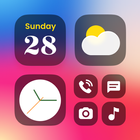
Color Widgets, Theme: iWidgets is a home screen customization app that brings iOS style widgets and themes to Android.
Color Widgets, Theme: iWidgets helps you redesign your Android home screen with coordinated themes, widgets, and icon packs. The app focuses on quick setup, flexible widget sizes, and an iOS style look without complicated steps. You can browse ready made layouts, apply a full theme, and personalize details like colors and photos. Moreover, the app includes an optional control center style panel for quick access to toggles and system info. Therefore, if you want a consistent style with minimal effort, download Color Widgets, Theme: iWidgets and start customizing. Get the Color Widgets, Theme: iWidgets APK latest version on APKPure for the most recent improvements.
iOS style themes and icon packs
Color Widgets, Theme: iWidgets provides complete themes that include matching wallpapers, widgets, and custom icon packs. You can apply a cohesive style in one tap, and then refine colors or layout to fit your taste. This approach keeps your screen consistent from icons to widgets.
Rich widget library for everyday info
Color Widgets, Theme: iWidgets offers clocks in analog or digital styles, photo slideshows, calendars, weather, battery and Bluetooth status, and event countdowns. You can mix small, medium, and large widgets to match your layout. In addition, presets help you build a dashboard that stays useful throughout the day.
X Panel control center widget
X Panel adds quick toggles like flashlight and Wi Fi, plus at a glance system info such as time, network, battery, and storage. You can place it on the home screen for fast actions without opening settings. Moreover, it complements your theme for a consistent look.
One tap setup with flexible sizes
Color Widgets, Theme: iWidgets lets you add widgets in one tap and choose small, medium, or large sizes. This makes it simple to arrange information by importance. Therefore, you can create a clean grid or a bold dashboard without complex editing.
Works across Android phones and tablets
The app supports a wide range of Android devices and popular launchers. Themes include matching wallpapers and widget styles so your setup feels unified. In addition, the roadmap includes new To do and Notes widgets to support light productivity on the home screen.
Color Widgets, Theme: iWidgets uses ads to support free access. Some premium widgets or styles require gems that you can unlock by watching ads or with a purchase. An optional ad free subscription removes ads and unlocks more content. This model lets you start free and decide if you want to upgrade later.
To power widgets and the control center, Color Widgets, Theme: iWidgets may request Storage for photo widgets, Location for weather, Notifications for timely updates, and Accessibility Service for certain toggles. The developer states that no data is shared with third parties, data is encrypted in transit, and deletion options are available. You can review permissions in settings and adjust them at any time.
If photo widgets revert to tap to add photo, open the app and re select your album, then keep notifications enabled so widgets refresh. Also, disable battery optimization for the app and allow background activity, since aggressive power saving can stop updates. Finally, note that resizing can be limited by your launcher for certain widget sizes, so try alternate sizes if a layout does not fit.
Use the following quick guide to set up a themed home screen with widgets and the control center. The steps keep setup simple and ensure widgets refresh reliably.
Color Widgets, Theme: iWidgets brings iOS style widgets, themes, and a control panel to Android with quick setup. Download Color Widgets, Theme: iWidgets to build a useful and consistent home screen that fits your routine. Get the Color Widgets, Theme: iWidgets APK latest version on APKPure for the newest presets and fixes.
For official support and information, use the resources below.
How do I add color to widgets on Android using Color Widgets, Theme: iWidgets?
Open Color Widgets, Theme: iWidgets, choose a widget preset, and tap Edit to change colors, fonts, and backgrounds. You can also select a photo or album to add a colored backdrop or gradient. After saving, re add the widget in the desired size so the new style appears on your home screen.
How can I get Color Widgets, Theme: iWidgets on Android?
Get the latest Color Widgets, Theme: iWidgets APK on APKPure and install it on your device. Open the app after installation and grant the requested permissions so widgets can display weather, photos, and system info correctly. Updates are also available on APKPure when new versions are released.
Does Color Widgets, Theme: iWidgets show ads or use tracking?
Color Widgets, Theme: iWidgets uses ads in the free version, and some content unlocks with gems earned by watching ads or via purchase. An ad free subscription is available. The developer states there is no tracking and invites users to share proof of any concern for investigation.
Why does my photo widget show “tap to add photo” again?
This usually happens when the app cannot refresh in the background. Enable notifications for Color Widgets, Theme: iWidgets, allow background activity, and disable battery optimization in system settings. Re select your album in the app, then place the widget again to restore your photos.
Is Color Widgets, Theme: iWidgets a good choice for iOS style widgets on Android?
Color Widgets, Theme: iWidgets is designed for users who want an iOS style look with quick setup on Android. It offers a broad widget library and the X Panel control center, although some advanced designs require gems and certain widget sizes may have limited resizing depending on the launcher. Download Color Widgets, Theme: iWidgets on APKPure to try it and see if it fits your home screen needs.
Last updated on Apr 21, 2026
Minor bug fixes and improvements. Install or update to the newest version to check it out!
Latest Version
 1.8.1
1.8.1
Uploaded by
AI Photo Team
Requires Android
Android 8.0+
Available on

Category
Report



Discover what you want easier, faster and safer.
