


Use APKPure App
Get Chrome Lite old version APK for Android

Chrome Lite is a lightweight Android web browser that focuses on fast browsing and quick answers.
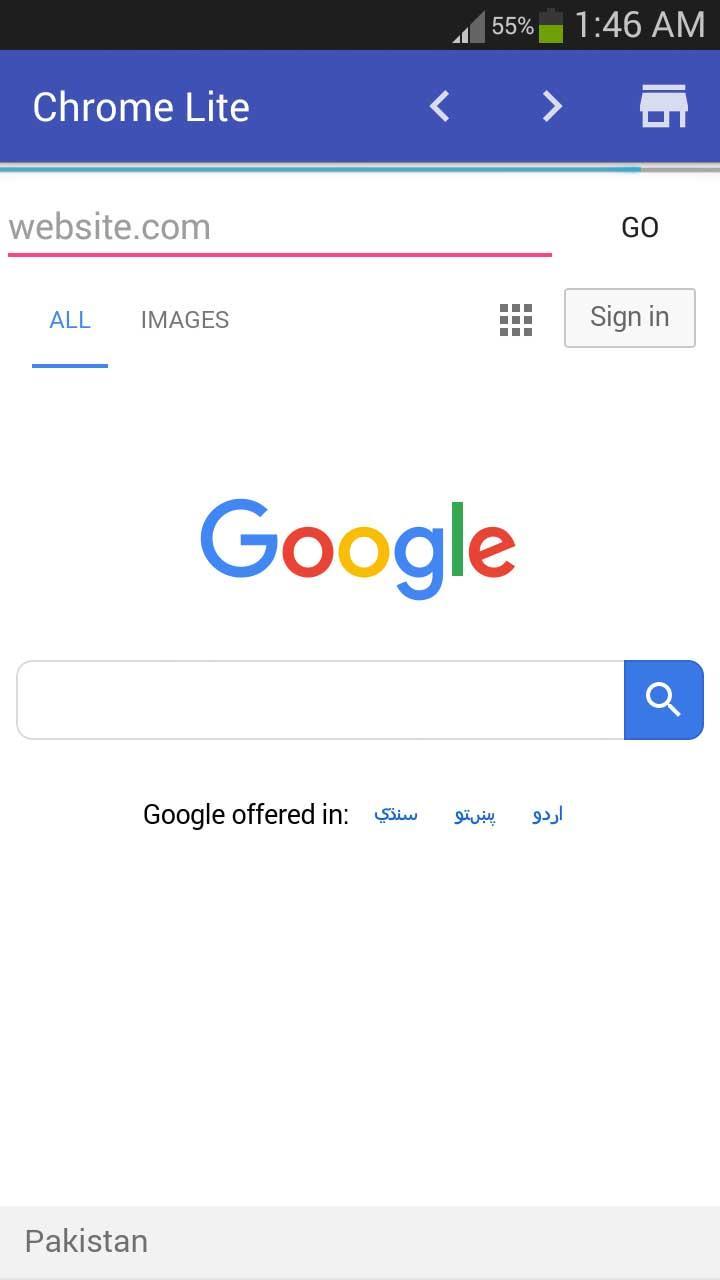
Chrome Lite is built for mobile users who want speed, simplicity, and low data usage in one compact browser. It centers search at the top so you can find results instantly and keep reading with minimal delay. The start experience highlights stories related to your queries and brings the content you care about together, including music, shows, and movies. The interface stays clean to reduce distractions, and it is designed to work smoothly on a wide range of Android phones. Therefore, the Chrome Lite APK is a practical option for users on slower networks or limited data plans.
Fast, lite browsing
Chrome Lite keeps pages light so they load quickly and scroll smoothly. This helps you move through articles, results, and media without long waits, even on slower connections.
Instant search with related stories
Chrome Lite shows quick answers as you type and suggests useful stories related to your query. You can scan highlights first, then open full pages when you need more detail.
All-in-one content hub
Chrome Lite organizes what you follow in one place. You can browse music, shows, movies, and topics of interest together, which makes it easy to stay updated without switching apps.
Simple, clutter-free interface
Chrome Lite uses clear menus and readable layouts so you can focus on content. The streamlined design reduces taps and helps you find controls faster.
Works across Android devices
Chrome Lite is tuned for entry-level and older phones as well as newer models. Therefore, you get a consistent experience across different screens and hardware.
Light on data for everyday use
Chrome Lite is designed to save data while you browse. This helps users on limited data plans maintain steady access to news, search, and entertainment.
Google’s Lite Mode in Chrome was discontinued in early 2022. Chrome Lite is a separate lightweight browser app from a third party developer and it is not the same feature or product. Therefore, you should treat Chrome Lite as an independent app with its own design and roadmap.
Lite Mode was a data compression feature inside Google’s browser. Chrome Lite is a standalone browser that focuses on fast results, related stories, and a compact interface. If you used Lite Mode before, you can download Chrome Lite for a light experience that aims to keep browsing quick on slow networks.
The Chrome Lite app for Android suits users who want quick search, light pages, and minimal distractions. It is also useful if you have an older device, share data with a family plan, or often browse in areas with weak signal. In addition, it is helpful if you prefer a simple home space that surfaces topics you follow.
Getting started is straightforward. Chrome Lite centers search and related stories so you can move from a question to results with fewer steps. Follow this quick guide to browse efficiently.
Chrome Lite keeps everyday browsing light and focused. Get quick answers, read related stories, and explore your interests with fewer delays. Download Chrome Lite APK to start browsing with a small footprint on data and device resources.
Get the Chrome Lite APK latest version on APKPure for a secure and streamlined install. When you want a quick setup on any device, use APKPure to download Chrome Lite and keep your app up to date.
Is there a Chrome Lite version?
Yes, Chrome Lite is a lightweight browser available as an APK that focuses on fast results and low data use. It is separate from Google’s discontinued Lite Mode feature, and you can get the Chrome Lite APK on APKPure.
How do I install Chrome Lite APK on Android from APKPure?
To install Chrome Lite, download the Chrome Lite APK on APKPure and open the file on your device. Then confirm install when prompted and wait for setup to finish. For updates, return to APKPure and get the Chrome Lite APK latest version.
What is the difference between Chrome Lite and Google’s Lite Mode?
Google’s Lite Mode was a data saving setting inside Chrome that ended in 2022. Chrome Lite is a standalone browser that delivers instant search, related stories, and a compact interface. Therefore, you can use Chrome Lite as a light browser rather than a settings toggle.
Does Chrome Lite work on older Android phones?
Yes, Chrome Lite is built to work across Android devices, including entry-level and older phones. The app keeps pages light so performance remains smooth even on modest hardware.
Is Chrome Lite data friendly on slow networks?
Yes, Chrome Lite is designed to be light on data and to keep browsing responsive on slower connections. This helps you read results, follow stories, and browse topics without heavy data costs.
Last updated on Jun 23, 2018
Minor bug fixes and improvements. Install or update to the newest version to check it out!
Latest Version
 1.0
1.0
Uploaded by
محمد البدر
Requires Android
Android 4.0+
Category
Report




Discover what you want easier, faster and safer.
![[DEPRECATED] Chrome to Phone icon](https://static.cdnpure.com/mobile/static/imgs/lazy.png "[DEPRECATED] Chrome to Phone")