


Use APKPure App
Get AmpMe old version APK for Android

AmpMe is a music sync and speaker booster app that turns multiple phones into one portable sound system.
AmpMe helps when a single phone is not loud enough or when everyone wants to hear the same moment of a song or video at the same time. It lines up playback across devices so the group stays in sync during parties, hangouts, or casual listening. You can host a session or join one from nearby or far away, and the sound grows as more phones connect. To get started quickly, you can download AmpMe and link friends in minutes without extra gear.
Sync multiple phones for bigger sound
AmpMe plays the same track or video in the same moment across all connected devices. As friends join, the combined volume increases naturally because more speakers are active. This setup is useful in a living room, backyard, or any space where one phone is not enough. You keep the group in time so the experience feels consistent.
Play music and videos from popular sources
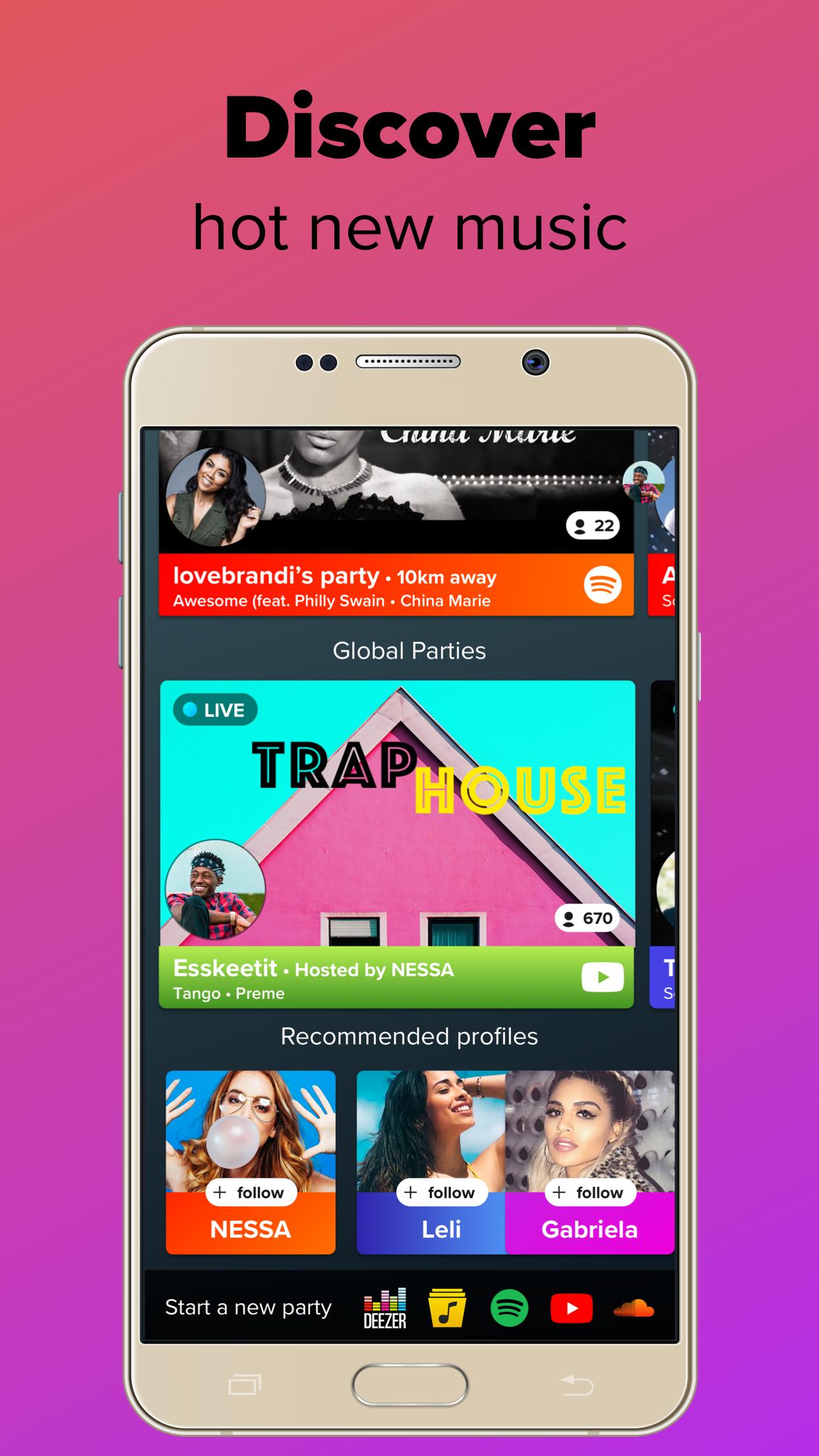
You can start a party from YouTube, SoundCloud, Spotify, Deezer, or your local Music Library. AmpMe aligns playback across devices no matter which source you choose. Availability for Spotify and Deezer depends on your country, so some users may see different options. If streaming is limited, local files and YouTube offer a simple path to start.
Host or join parties, nearby or remote
It is easy to host a party and invite friends in the same room or across town. AmpMe shows nearby sessions and also lists Live Parties from friends, DJs, influencers, and communities worldwide. You can follow people and get a notification when they start, then join with one tap. Chat and reactions keep everyone engaged while the music plays.
DJ controls and shared queue
The host manages the queue and playback so the session stays organized. You can add, reorder, or skip tracks based on the group vibe. If you prefer a collaborative approach, guests can be allowed to add songs to the queue. Real time chat and reactions make coordination simple without leaving the party screen.
Cross platform support and Bluetooth notes
AmpMe syncs across iOS and Android so mixed groups can listen together. It works with smartphones and tablets, and you can connect a Bluetooth speaker to each phone to expand coverage. The one device per phone guideline helps avoid audio delays and keeps timing stable. This setup is practical at home or while traveling.
New users can try a free party before a free trial or paid subscription begins. This trial helps you check sync quality, device compatibility, and source options with your friends. To start a free session, open AmpMe, choose Host, pick a source, and play. To join, find the host in the party list or use an invite link or code. Access and options can vary by region and by AmpMe latest version.
Source availability differs across countries, especially for Spotify and Deezer. If a service is not offered in your area, you can still host from YouTube, SoundCloud, or local files. Social sign in is available through Facebook or Google so it is simple to follow friends and receive notifications when a party starts. These steps are optional if you prefer to use the app without social features.
Getting started takes only a moment and works the same way across most devices. For quick setup on your phone, you can search for AmpMe for Android and begin a session right away.
AmpMe syncs phones so a group can hear the same track at the same time and increase volume as more devices join. If you want a simple way to share music and videos with friends, try AmpMe APK and host a session in minutes.
For official support and contact details, see the information below.
Last updated on Nov 1, 2023
Minor music sync bug fixes.
Drop a review or send us an email to [email protected] if you have any questions!
Latest Version
 9.2.2
9.2.2
Uploaded by
AmpMe Inc
Requires Android
Android 7.0+
Available on

Category
Report





Discover what you want easier, faster and safer.
